Platform comparison
ARLOOPA Studio vs UniteAR: Which Zero-Code AR Platform Fits Your Team?
ARLOOPA Studio and UniteAR both speak directly to non-technical buyers. That makes this comparison less about whether no-code matters and more about how broad the required AR program actually is. UniteAR is attractive when the team wants a straightforward zero-coding route for image-based WebAR, ground-plane experiences, embedded scanners, or white-labelled apps. ARLOOPA Studio is stronger when the roadmap extends beyond those basics into face tracking, geospatial AR, tourism, culture, education, and a more mature cross-format no-code story.
Comparison based on publicly available product pages and documentation reviewed on March 20, 2026.
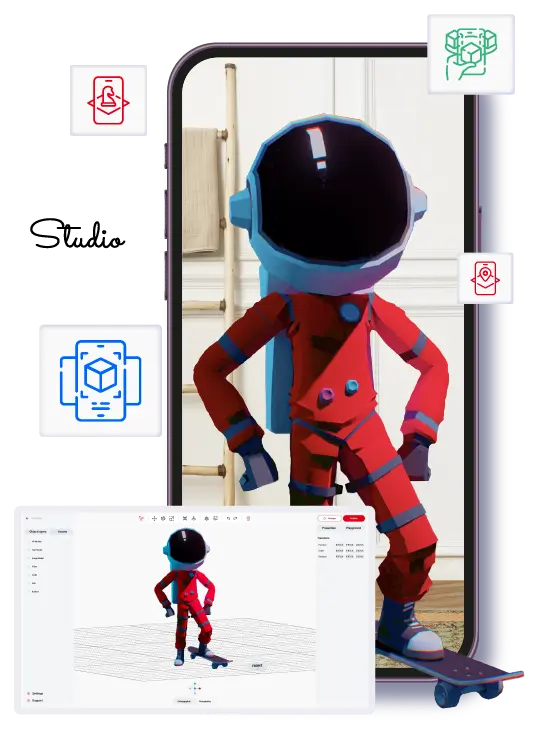
ARLOOPA Studio
Best fit
Teams that want one no-code platform for WebAR, image tracking, surface tracking, face tracking, geospatial AR, white-label app planning, and a publicly promoted Meta Quest app path.
No-code AR creation platform for business, education, events, and marketing.
UniteAR
Best fit
Teams that want a straightforward no-code route for image-based AR, ground-plane WebAR, or a simple white-label app plan.
A zero-coding AR platform focused on image-based WebAR, ground-plane WebAR, white-labelled AR apps, and embedded scanners.
Short answer
Choose ARLOOPA Studio when your roadmap spans more AR formats or industries. Choose UniteAR when the priority is a simpler zero-code route for image-based or ground-plane WebAR plus white-labelled apps.
ARLOOPA Studio is usually stronger when
- You need more than image-based and ground-plane WebAR over the next 12 months.
- Face tracking, geospatial AR, or Meta Quest presence are part of the roadmap.
- You want a no-code platform already positioned for business, education, culture, tourism, retail, and events.
UniteAR may fit better when
- You want a straightforward zero-code platform for image-based WebAR, ground-plane AR, or web scanner embeds.
- A basic white-labelled app path is more important than a broader multi-format AR roadmap.
- You want minimal complexity and the project is unlikely to expand into geospatial or face-led use cases.
Feature comparison
Feature comparison: ARLOOPA Studio vs UniteAR
These rows reflect what each platform publicly highlights today, with emphasis on what matters to no-code teams choosing a WebAR or broader AR workflow.
Capability
ARLOOPA Studio
UniteAR
WebAR / browser delivery
Can teams launch AR experiences directly in the browser without asking end users to install a dedicated app first?
ARLOOPA Studio
WebAR is part of the current Studio product story.
UniteAR
WebAR is central to the platform and scanner offer.
No-code visual builder
Does the public product positioning clearly support drag-and-drop or non-technical creation?
ARLOOPA Studio
The platform is explicitly positioned as no-code.
UniteAR
The platform is explicitly positioned as zero coding.
Image tracking / marker-based AR
Useful for packaging, print, education, museums, and scan-to-launch brand activations.
ARLOOPA Studio
Image tracking is a core Studio capability.
UniteAR
Image-based WebAR is clearly highlighted.
Surface or world tracking
Important for product placement, room-scale previews, and no-marker browser experiences.
ARLOOPA Studio
Surface tracking is already highlighted on the site.
UniteAR
Ground-plane markerless WebAR is publicly highlighted.
Face tracking / filters
Relevant for beauty, fashion, entertainment, and branded social-style activations.
ARLOOPA Studio
Face tracking is already positioned as a launchable format.
UniteAR
Face filters or face tracking are not a visible public platform pillar.
Geospatial / location-based AR
Relevant when AR content must stay tied to real places, landmarks, or visitor routes.
ARLOOPA Studio
Geospatial and location-based AR are publicly highlighted.
UniteAR
Location-based tourism use cases are mentioned, but not a geospatial or VPS product pillar.
White-label or branded app path
Does the platform publicly highlight a branded app or white-label route beyond browser delivery?
ARLOOPA Studio
The site includes a white-label app route.
UniteAR
White-labelled AR apps for iOS and Android are publicly highlighted.
Dedicated public Meta Quest app path
This row refers to a publicly highlighted dedicated Meta Quest app or store-facing app path, not just generic headset compatibility.
ARLOOPA Studio
ARLOOPA publicly highlights a Meta Quest app presence.
UniteAR
There is no visible public Meta Quest app path.
Platform status in 2026
Teams should evaluate not just features, but also continuity, support, and whether the hosted workflow is still active.
ARLOOPA Studio
No public wind-down or closure warning is present.
UniteAR
The platform is actively marketed and sold.
Where ARLOOPA wins
Where ARLOOPA Studio is usually the better choice for no-code teams than UniteAR
ARLOOPA Studio is the better fit when the team wants more than image-based WebAR and ground-plane AR. The current product story already includes WebAR, image tracking, surface tracking, face tracking, geospatial AR, white-label app planning, and Meta Quest presence. That breadth matters for teams that may start with a campaign but quickly expand into education, museums, tourism, product visualization, or place-based activation.
It is also the more practical platform when the buying team wants to avoid outgrowing the tool. UniteAR is straightforward, but ARLOOPA makes more sense when broader campaign, culture, or geospatial ambitions are already visible on the roadmap.
- •You need more than image-based and ground-plane WebAR over the next 12 months.
- •Face tracking, geospatial AR, or Meta Quest presence are part of the roadmap.
- •You want a no-code platform already positioned for business, education, culture, tourism, retail, and events.
Where the competitor may fit
Where UniteAR may still be the better fit
UniteAR may fit better when the project is intentionally simple: image-based WebAR, ground-plane browser AR, embedded web scanners, or a basic white-labelled app. Its public product story is direct and easy to understand, which can be appealing for teams that want fast access without evaluating a broader AR stack.
That simplicity can be a genuine advantage if the roadmap is narrow and likely to stay narrow. Not every buyer needs geospatial AR, face tracking, or a wider format set.
- •You want a straightforward zero-code platform for image-based WebAR, ground-plane AR, or web scanner embeds.
- •A basic white-labelled app path is more important than a broader multi-format AR roadmap.
- •You want minimal complexity and the project is unlikely to expand into geospatial or face-led use cases.
Buying questions
Questions to ask before choosing between ARLOOPA Studio and UniteAR
The best way to separate these tools is to ask whether your team is buying for the next campaign or the next program. If the answer is just one image-based or ground-plane rollout, UniteAR may be enough. If the answer is an evolving AR program with multiple formats, ARLOOPA Studio is usually the safer platform choice.
It also helps to look at industries. Tourism, culture, education, and event teams often need more than one trigger or content model over time. That is where ARLOOPA tends to hold the stronger long-term position.
- •Is this a narrow WebAR rollout or the start of a broader AR program?
- •Do you need face tracking, geospatial AR, or public Meta Quest positioning later?
- •Would a team in tourism, culture, education, or events outgrow a simpler image-plus-ground-plane platform?
FAQ
ARLOOPA Studio vs UniteAR: Which Zero-Code AR Platform Fits Your Team? FAQ
Is UniteAR weaker than ARLOOPA Studio?
Not necessarily. UniteAR can be a strong fit for straightforward zero-code WebAR and white-label app projects. ARLOOPA Studio is stronger when the roadmap needs broader AR format coverage.
What is ARLOOPA Studio’s main advantage in this comparison?
ARLOOPA Studio combines a broader no-code AR set, including face tracking, geospatial AR, and Meta Quest presence, with a business-oriented use-case story.
Who should choose UniteAR?
Teams with a narrow requirement around image-based WebAR, ground-plane AR, embedded scanners, or simple white-labelled apps may prefer UniteAR’s more focused product story.
Can both platforms support packaging or print activations?
Yes. Both can support scan-based or browser-friendly experiences. The difference is how much broader the roadmap becomes after that first project.
Studio pages
Related Studio pages
Move from vendor research into the core Studio pages that explain pricing, rollout, and product fit.
ARLOOPA Studio
Create WebAR, image-tracked, markerless, face-tracked, and geospatial AR experiences without code. Build, publish, and manage AR campaigns faster with ARLOOPA Studio.
Open pagePricing
Compare ARLOOPA Studio pricing plans for WebAR, geospatial AR, image tracking, and no-code AR creation, and choose the right option for your team or business.
Open pageSchedule a demo
Book a demo with ARLOOPA Studio to see how your team can create no-code augmented reality experiences for marketing, education, events, packaging, and product storytelling.
Open pageMore comparisons
Related comparisons
Use these head-to-head pages when your shortlist still includes more than one serious platform candidate.
ARLOOPA Studio vs MyWebAR: Better WebAR Tool for Marketers and Educators
Compare ARLOOPA Studio and MyWebAR for no-code WebAR, marketer and educator fit, face effects, advanced tracking, browser delivery, and broader AR rollout planning.
Open comparisonARLOOPA Studio vs Kivicube: Which No-Code WebAR Platform Is Easier to Launch With?
Compare ARLOOPA Studio and Kivicube for no-code WebAR, image recognition, try-on, WeChat distribution, broader AR campaign coverage, and platform fit in 2026.
Open comparisonARLOOPA Studio vs PlugXR: Focused AR Campaign Builder or Broader XR Platform?
Compare ARLOOPA Studio and PlugXR for no-code AR, WebAR, image tracking, white-label apps, XR breadth, and which platform is easier for campaign teams to run.
Open comparisonContinue reading
Related reading
These guides answer the next practical questions most buyers ask after the first platform comparison.
Marker-Based AR Guide
Use marker-based AR when the physical trigger matters and you want predictable, guided activation behavior.
Read guideBest No-Code AR Platforms
Use this 2026 shortlist to compare no-code AR platforms by team fit, rollout model, and practical roadmap depth.
Read guideWebAR Platform Comparison
Use this comparison guide to evaluate WebAR platforms by buyer fit, not just browser features.
Read guide


