دليل عملي
كيفية إنشاء الواقع المعزز بتتبع الوجه
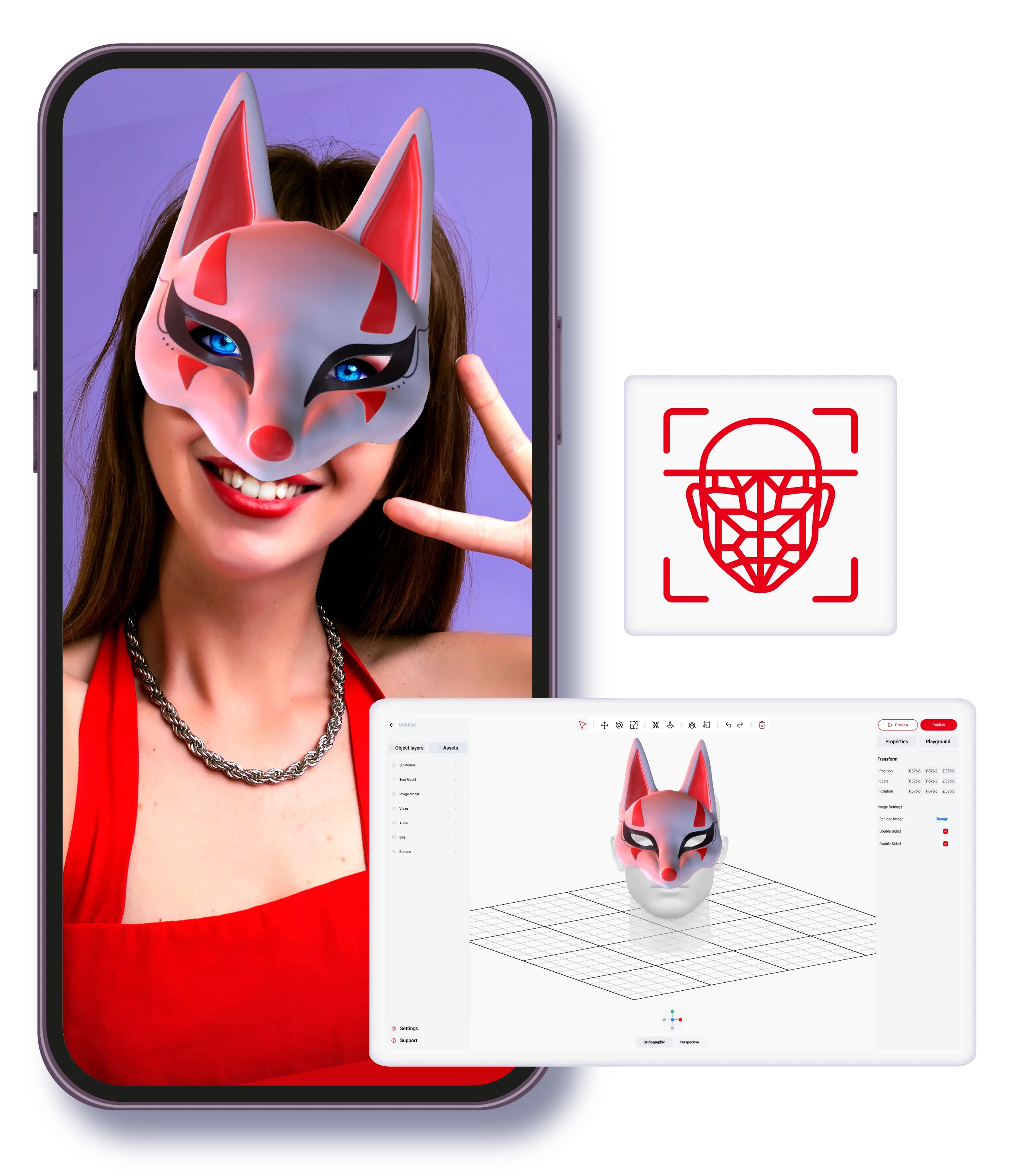
استخدم هذا الدليل لفهم كيفية إنشاء الواقع المعزز بتتبع الوجه وبناء مسار عمل عملي باستخدام ARLOOPA Studio.
الأفضل لـ
يعد كيفية إنشاء الواقع المعزز بتتبع الوجه مناسبًا للفرق التي تحتاج إلى قرارات عملية في الواقع المعزز مرتبطة بهدف عمل واضح.
انتبه إلى
يعتمد الأداء على نطاق واضح، وأصول نظيفة، ونموذج إطلاق يتوافق مع رحلة الجمهور.
ملاءمة ARLOOPA
يبرز ARLOOPA Studio عندما يحتاج الفريق إلى تحكم بدون برمجة، وتكرار أسرع، ومسار مباشر من التجربة إلى الإنتاج.
تعلّم
ما الذي يجب أن تقيمه الفرق في كيفية إنشاء الواقع المعزز بتتبع الوجه
يكون كيفية إنشاء الواقع المعزز بتتبع الوجه أكثر فائدة عندما يكون هدف العمل، وصيغة الإطلاق، ورحلة الجمهور واضحة بما يكفي لتحديد تجربة تجريبية واقعية. يبدأ التقييم الصحيح من حالة الاستخدام، لا من التأثيرات التقنية المعزولة.
- •حدّد هدف العمل قبل اختيار صيغة الواقع المعزز.
- •طابق التجربة مع الجمهور، ونقطة الدخول، وسياق الجهاز.
- •استخدم تجربة تجريبية للتحقق من افتراضات الإطلاق قبل التوسع.
تعلّم
أين يحقق كيفية إنشاء الواقع المعزز بتتبع الوجه أفضل ملاءمة
يعمل كيفية إنشاء الواقع المعزز بتتبع الوجه بشكل أفضل عندما يدعم إجراءً محددًا مثل استكشاف المنتج، أو التفاعل مع الحملة، أو تفعيل الفعاليات، أو التعليم، أو السرد المرتبط بالمكان. أقوى مشاريع الواقع المعزز تحافظ على دور واضح ومحدد داخل الرحلة.
- •استخدمه عندما يحسن التفاعل الفهم أو التفاعل أو التحويل.
- •اربط هذه الصيغة بصفحات الحلول والقطاعات الحالية من أجل تخطيط أعمق.
- •حافظ على بساطة المحتوى ومسار النشر بما يكفي لتكرار العمل بسرعة.
الأسئلة الشائعة
أسئلة شائعة
ما هو كيفية إنشاء الواقع المعزز بتتبع الوجه؟
كيفية إنشاء الواقع المعزز بتتبع الوجه هو موضوع في الواقع المعزز تقيمه الفرق عادة عند اختيار نموذج الإطلاق، أو صيغة الحملة، أو مسار التنفيذ المناسب.
متى يجب على فريق العمل استخدام كيفية إنشاء الواقع المعزز بتتبع الوجه؟
يكون مناسبًا عندما تدعم الصيغة بوضوح هدف العمل، ونقطة دخول الجمهور، ونوع التفاعل الذي يحتاجه المشروع.
كيف يساعد ARLOOPA Studio في كيفية إنشاء الواقع المعزز بتتبع الوجه؟
يساعد ARLOOPA Studio الفرق على تحديد النطاق، وإنشاء تجارب الواقع المعزز ونشرها، دون الاعتماد على دورة تطوير مخصصة ومعقدة.
صفحات Studio الحالية
حلول ذات صلة
استخدم صفحات Studio الحالية عندما تحتاج إلى تفاصيل أعمق عن الحل أو المجال المرتبط بهذا الدليل.
تجارب الفعاليات
أنشئ تجارب AR للأجنحة، وتفعيلات المعارض، وطبقات الرعاية، وscavenger hunts، وكشف المنتجات لزيادة تفاعل الحضور.
افتح الصفحةالأزياء
اكتشف كيف يدعم الواقع المعزز في الأزياء معاينات المنتجات الغامرة والتنسيق وتجارب العلامة التجارية التفاعلية.
افتح الصفحةالإعلام والترفيه
استكشف الاستخدامات المبتكرة للواقع المعزز في الإعلام والترفيه لإنشاء تجارب غامرة ولا تُنسى للجمهور.
افتح الصفحةالأسعار
قارن بين خطط أسعار ARLOOPA Studio واختر الخيار الأنسب لإنشاء تجارب واقع معزز لعلامتك التجارية أو نشاطك التجاري.
افتح الصفحةاقرأ المزيد
قراءة ذات صلة
تجيب هذه الأدلة على الأسئلة العملية التالية التي تظهر عادة قبل إطلاق مشروع واقع معزز.
الواقع المعزز بتتبع الوجه
افهم أين ينسجم الواقع المعزز بتتبع الوجه، وما حالات الاستخدام التي يدعمها، وكيف يمكن للفرق إطلاقه باستخدام ARLOOPA Studio.
اقرأ الدليلالإعلان بالواقع المعزز
اكتشف كيف ينسجم الإعلان بالواقع المعزز مع الحملات الواقعية، وأين يحقق أفضل أداء، وكيف تنتقل من الفكرة إلى الإطلاق باستخدام ARLOOPA Studio.
اقرأ الدليلأمثلة على حملات الواقع المعزز
راجع أمثلة عملية على أمثلة على حملات الواقع المعزز واربطها بصفحات الحلول والقطاعات الحالية في Studio.
اقرأ الدليلعدة أقنعة وجه في تجربة واحدة
افهم أين ينسجم عدة أقنعة وجه في تجربة واحدة، وما حالات الاستخدام التي يدعمها، وكيف يمكن للفرق إطلاقه باستخدام ARLOOPA Studio.
اقرأ الدليل


