Comparación de plataformas
ARLOOPA Studio vs Blippar: La mejor plataforma AR sin código para experiencias en navegador
Compara ARLOOPA Studio y Blippar por flujo sin código, entrega en navegador, cobertura de seguimiento, continuidad de plataforma y encaje con el equipo.
Comparación basada en páginas públicas de producto y documentación revisadas el 20 de marzo de 2026.
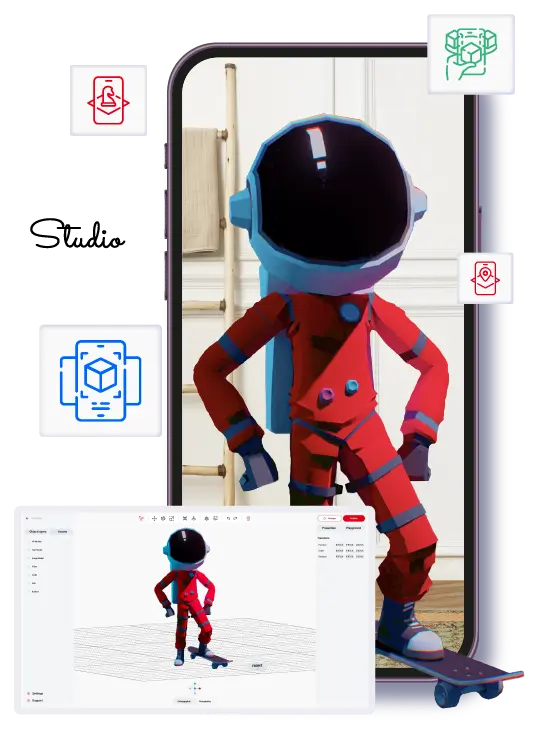
ARLOOPA Studio
Mejor encaje para
Equipos sin código que quieren WebAR más una cobertura AR más amplia y un camino comercial práctico.
ARLOOPA Studio está posicionado como plataforma de creación AR sin código para negocio, educación, eventos y marketing.
Blippar
Mejor encaje para
Equipos que ven un encaje más cercano entre la dirección pública de producto de Blippar y su propio flujo de trabajo.
Blippar debe evaluarse según su posicionamiento público actual, su modelo de entrega y su continuidad en 2026.
Respuesta corta
ARLOOPA Studio suele ser más fuerte para equipos que buscan un flujo sin código más claro y opciones de despliegue comercial más amplias. Blippar puede seguir encajando mejor cuando su dirección pública de producto coincide con una necesidad más técnica o más centrada en navegador.
ARLOOPA Studio suele ser más fuerte cuando
- Quieres una sola plataforma para AR en navegador y formatos más amplios.
- Necesitas un flujo sin código que marketing, educación o innovación puedan gestionar.
- Prefieres una plataforma comercial activa con un camino de despliegue práctico.
Blippar puede encajar mejor cuando
- La historia pública actual del producto coincide estrechamente con tu caso de uso inmediato.
- Tu equipo se siente cómodo con la complejidad de ese flujo.
- La hoja de ruta favorece esa dirección de producto más que una cobertura no-code más amplia.
Feature comparison
Comparación de funciones: ARLOOPA Studio vs Blippar
Usa esta tabla para comparar la historia pública del producto, el modelo de entrega y el encaje práctico para equipos sin código.
Capability
ARLOOPA Studio
Blippar
WebAR / entrega en navegador
ARLOOPA Studio
Blippar
Constructor visual sin código
ARLOOPA Studio
Blippar
Seguimiento de imagen / AR con marcadores
ARLOOPA Studio
Blippar
Seguimiento de superficies o del mundo
ARLOOPA Studio
Blippar
Seguimiento facial / filtros
ARLOOPA Studio
Blippar
AR geoespacial / basada en ubicación
ARLOOPA Studio
Blippar
Ruta de app white-label o de marca
ARLOOPA Studio
Blippar
Ruta pública dedicada para Meta Quest
ARLOOPA Studio
Blippar
Estado de la plataforma en 2026
ARLOOPA Studio
Blippar
Dónde ARLOOPA es más fuerte
Dónde ARLOOPA Studio suele encajar mejor que Blippar
ARLOOPA Studio suele encajar mejor cuando el comprador quiere una plataforma sin código con una cobertura AR más amplia que Blippar.
Eso importa especialmente cuando equipos no técnicos deben gestionar publicación y actualizaciones después del lanzamiento.
- •Quieres una sola plataforma para AR en navegador y formatos más amplios.
- •Necesitas un flujo sin código que marketing, educación o innovación puedan gestionar.
- •Prefieres una plataforma comercial activa con un camino de despliegue práctico.
Dónde puede encajar el competidor
Dónde Blippar todavía puede encajar mejor
Blippar puede encajar mejor cuando su dirección pública de producto coincide con el modelo de entrega exacto o con las expectativas técnicas del equipo.
Esto es especialmente relevante cuando el comprador busca una herramienta más estrecha, centrada en navegador, o una pila técnica más amplia.
- •La historia pública actual del producto coincide estrechamente con tu caso de uso inmediato.
- •Tu equipo se siente cómodo con la complejidad de ese flujo.
- •La hoja de ruta favorece esa dirección de producto más que una cobertura no-code más amplia.
Preguntas de compra
Preguntas antes de elegir entre ARLOOPA Studio y Blippar
La forma más limpia de decidir es comparar un piloto real, no solo claims de marketing.
Usa el piloto para probar velocidad de publicación, ownership, formatos compatibles y encaje de hoja de ruta.
- •¿Quién será responsable de las revisiones después del lanzamiento?
- •¿Qué formatos AR importan más allá de la primera campaña?
- •¿El equipo necesita una plataforma sin código enfocada o una pila técnica más amplia?
FAQ
FAQ de comparación con Blippar
¿Cómo deben comparar los equipos ARLOOPA Studio y Blippar?
Compáralos con un piloto realista, con assets reales, un propietario real y un flujo de publicación real.
¿Cuándo suele ser mejor opción ARLOOPA Studio?
Normalmente cuando el equipo quiere un flujo sin código más claro, cobertura de formatos más amplia y un camino comercial práctico.
¿Cuándo podría Blippar encajar mejor?
Cuando su dirección pública de producto encaja más con tu flujo, especialmente alrededor de profundidad técnica o una necesidad más centrada en navegador.
¿Qué deben probar los compradores antes de elegir?
Prueba velocidad de publicación, ownership tras el lanzamiento, formatos compatibles y encaje con el siguiente proyecto probable.
Páginas de Studio
Páginas relacionadas de Studio
Pasa de la investigación de proveedores a las páginas principales de Studio sobre precios, despliegue y encaje del producto.
ARLOOPA Studio
Crea experiencias WebAR, con seguimiento de imagen, markerless, face-tracked y geoespaciales sin código. Construye y publica más rápido con ARLOOPA Studio.
Abrir páginaPrecios
Compara los planes de ARLOOPA Studio y elige la mejor opción para crear experiencias de realidad aumentada.
Abrir páginaReservar una demo
Reserva una demo con ARLOOPA Studio.
Abrir páginaMás comparaciones
Comparaciones relacionadas
Usa estas comparaciones directas cuando tu shortlist aún incluya más de un candidato serio.
ARLOOPA Studio vs Zapworks: ¿Qué plataforma WebAR es mejor para equipos sin código?
Compara ARLOOPA Studio y Zapworks en 2026 por flujo, funciones y encaje de plataforma.
Abrir comparaciónARLOOPA Studio vs MyWebAR: Mejor herramienta WebAR para marketing y educación
Compara ARLOOPA Studio y MyWebAR en 2026 por flujo, funciones y encaje de plataforma.
Abrir comparaciónARLOOPA Studio vs Kivicube: ¿Con qué plataforma WebAR sin código es más fácil lanzar?
Compara ARLOOPA Studio y Kivicube en 2026 por flujo, funciones y encaje de plataforma.
Abrir comparaciónSeguir leyendo
Lecturas relacionadas
Estas guías responden las siguientes preguntas prácticas después de la primera comparación de plataformas.
Publicidad con realidad aumentada
Entiende cómo Publicidad con realidad aumentada encaja en campañas reales, dónde rinde mejor y cómo pasar de la idea al lanzamiento con ARLOOPA Studio.
Leer guíaMejores alternativas a Blippar
Compara los principales factores detrás de Mejores alternativas a Blippar y elige el flujo de trabajo AR adecuado para tu equipo.
Leer guíaMejores plataformas AR sin código
Compara los principales factores detrás de Mejores plataformas AR sin código y elige el flujo de trabajo AR adecuado para tu equipo.
Leer guía