Platform comparison
ARLOOPA Studio vs Zapworks: Which WebAR Platform Is Better for No-Code Teams?
ARLOOPA Studio vs Zapworks is really a decision about how much platform breadth your team will actually use. Both can support browser-based AR, but they are built for different kinds of ownership. Zapworks is a wider immersive web stack with no-code, low-code, SDK, WebXR, App Clips, and native app options. ARLOOPA Studio is more focused on helping non-technical or mixed business teams launch WebAR, tracked experiences, face tracking, geospatial activations, and broader campaign work without first choosing between several product layers.
Comparison based on publicly available product pages and documentation reviewed on March 20, 2026.
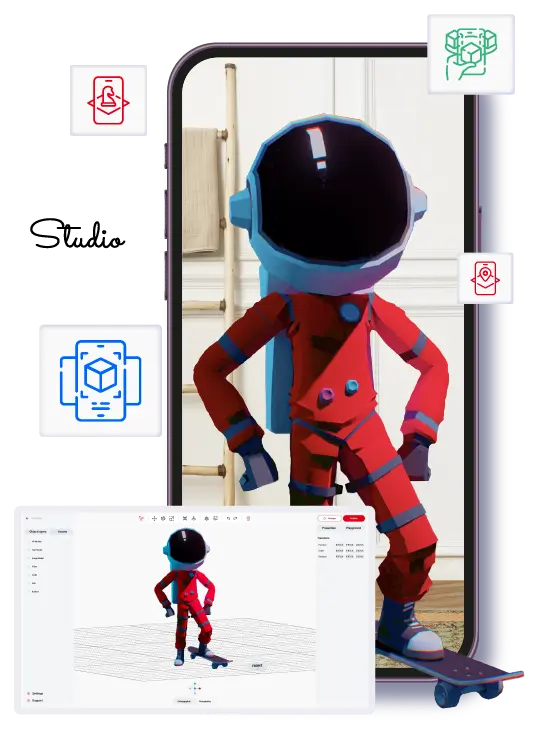
ARLOOPA Studio
Best fit
Teams that want one no-code platform for WebAR, image tracking, surface tracking, face tracking, geospatial AR, white-label app planning, and a publicly promoted Meta Quest app path.
No-code AR creation platform for business, education, events, and marketing.
Zapworks
Best fit
Teams that want one vendor covering no-code, low-code, SDKs, WebXR, and enterprise-grade immersive web infrastructure.
A broader immersive web stack spanning no-code Designer, low-code Mattercraft, SDKs, WebXR, native app publishing, and enterprise tooling.
Short answer
Choose ARLOOPA Studio when the buyer is a no-code team that wants one practical platform for WebAR plus broader AR formats. Choose Zapworks when the buyer is comfortable with a larger immersive web stack and expects to use no-code, low-code, SDK, and WebXR options together.
ARLOOPA Studio is usually stronger when
- You want one no-code platform for WebAR, tracked experiences, geospatial activations, and branded-app planning.
- Your launch mix spans business campaigns, education, tourism, culture, retail, or events rather than a single immersive-web use case.
- You value a public Meta Quest app path and broader commercial positioning over deeper SDK breadth.
Zapworks may fit better when
- You need a mixed no-code, low-code, and SDK ecosystem instead of a simpler no-code operating model.
- WebXR, App Clips, or framework-level immersive-web work are as important as campaign publishing.
- Your team already has technical capacity in tools like Three.js, Unity, PlayCanvas, or Babylon.js.
Feature comparison
Feature comparison: ARLOOPA Studio vs Zapworks
These rows reflect what each platform publicly highlights today, with emphasis on what matters to no-code teams choosing a WebAR or broader AR workflow.
Capability
ARLOOPA Studio
Zapworks
WebAR / browser delivery
Can teams launch AR experiences directly in the browser without asking end users to install a dedicated app first?
ARLOOPA Studio
WebAR is part of the current Studio product story.
Zapworks
WebAR is a core part of the product stack.
No-code visual builder
Does the public product positioning clearly support drag-and-drop or non-technical creation?
ARLOOPA Studio
The platform is explicitly positioned as no-code.
Zapworks
Designer is positioned as a no-code tool for AR and MR.
Image tracking / marker-based AR
Useful for packaging, print, education, museums, and scan-to-launch brand activations.
ARLOOPA Studio
Image tracking is a core Studio capability.
Zapworks
Image tracking is explicitly highlighted.
Surface or world tracking
Important for product placement, room-scale previews, and no-marker browser experiences.
ARLOOPA Studio
Surface tracking is already highlighted on the site.
Zapworks
World tracking and App Clips are publicly highlighted.
Face tracking / filters
Relevant for beauty, fashion, entertainment, and branded social-style activations.
ARLOOPA Studio
Face tracking is already positioned as a launchable format.
Zapworks
Face tracking is part of the published feature set.
Geospatial / location-based AR
Relevant when AR content must stay tied to real places, landmarks, or visitor routes.
ARLOOPA Studio
Geospatial and location-based AR are publicly highlighted.
Zapworks
Location-based AR is presented through Mattercraft with Immersal or MultiSet VPS.
White-label or branded app path
Does the platform publicly highlight a branded app or white-label route beyond browser delivery?
ARLOOPA Studio
The site includes a white-label app route.
Zapworks
Zapworks supports native apps and custom branding, but it is not positioned as a simple white-label app builder for non-technical teams.
Dedicated public Meta Quest app path
This row refers to a publicly highlighted dedicated Meta Quest app or store-facing app path, not just generic headset compatibility.
ARLOOPA Studio
ARLOOPA publicly highlights a Meta Quest app presence.
Zapworks
Zapworks highlights WebXR for Meta Quest rather than a publicly promoted dedicated Meta Quest app.
Platform status in 2026
Teams should evaluate not just features, but also continuity, support, and whether the hosted workflow is still active.
ARLOOPA Studio
No public wind-down or closure warning is present.
Zapworks
The platform is actively marketed and sold.
Where ARLOOPA wins
Where ARLOOPA Studio is usually the better choice for no-code teams than Zapworks
ARLOOPA Studio is usually the cleaner choice when the team buying the platform is primarily non-technical and wants one workflow to cover the formats that matter most: WebAR, image tracking, surface tracking, face tracking, geospatial AR, and a branded app path. That matters when marketing teams, educators, museums, tourism teams, or product marketers need to move from pilot to rollout without reopening a technical tooling conversation every time the content changes.
The practical advantage is not only feature breadth. It is decision simplicity. A team can compare one platform against one brief and see whether it can handle both browser entry and the next layer of tracked or location-based work. ARLOOPA is stronger when that kind of clarity matters more than having every possible immersive web creation route under the same vendor.
- •You want one no-code platform for WebAR, tracked experiences, geospatial activations, and branded-app planning.
- •Your launch mix spans business campaigns, education, tourism, culture, retail, or events rather than a single immersive-web use case.
- •You value a public Meta Quest app path and broader commercial positioning over deeper SDK breadth.
Where the competitor may fit
Where Zapworks may still be the better fit
Zapworks may still be the stronger fit when your team genuinely wants a broad immersive web stack instead of a more focused no-code AR platform. Its public product story includes Designer, Mattercraft, SDKs, WebXR, App Clips, native app paths, and custom solutions. That is useful when the internal team mixes creatives with developers and expects to work across more than standard campaign publishing.
It also fits better when WebXR, headset delivery, or deeper framework-level control are central to the buying decision. In other words, Zapworks earns its complexity when the team will actually use the complexity.
- •You need a mixed no-code, low-code, and SDK ecosystem instead of a simpler no-code operating model.
- •WebXR, App Clips, or framework-level immersive-web work are as important as campaign publishing.
- •Your team already has technical capacity in tools like Three.js, Unity, PlayCanvas, or Babylon.js.
Buying questions
Questions to ask before choosing between ARLOOPA Studio and Zapworks
The cleanest way to make this choice is to ask whether the buyer is shopping for a practical AR platform or for a broader immersive web stack. If the answer is a platform that content owners can operate after launch, ARLOOPA is often the more practical shortlist. If the answer is a broader technical environment with deeper developer reach, Zapworks deserves serious consideration.
Run the comparison through one real brief and one revision cycle. If non-technical owners need to publish updates themselves, a clearer no-code operating model matters more. If engineers will stay deeply involved after launch, Zapworks’ wider technical surface may justify the extra branching.
- •Are you buying a practical no-code platform or a broader immersive web stack?
- •Will marketers and content owners handle updates themselves after launch?
- •Are WebXR and SDK depth actual near-term requirements, or just nice-to-have optionality?
FAQ
ARLOOPA Studio vs Zapworks: Which WebAR Platform Is Better for No-Code Teams? FAQ
Is Zapworks better than ARLOOPA Studio for every WebAR project?
No. Zapworks is broader, but broader is not automatically better for no-code teams. ARLOOPA Studio is often the cleaner fit when the goal is to launch business-facing AR without operating a mixed no-code, low-code, and SDK toolchain.
When should a team choose Zapworks instead of ARLOOPA Studio?
Choose Zapworks when WebXR, SDK flexibility, App Clips, or broader immersive-web tooling are real requirements that your team will actually use after the pilot.
What makes ARLOOPA Studio stronger for no-code teams in this comparison?
ARLOOPA Studio keeps WebAR, tracked formats, geospatial AR, branded-app planning, and a public Meta Quest app path inside a more straightforward commercial workflow.
Should agencies compare ARLOOPA Studio and Zapworks differently from brands?
Yes. Agencies with technical teams may value Zapworks breadth more, while brands, educators, and museums often value ARLOOPA’s simpler no-code operating model and broader business fit.
Studio pages
Related Studio pages
Move from vendor research into the core Studio pages that explain pricing, rollout, and product fit.
ARLOOPA Studio
Create WebAR, image-tracked, markerless, face-tracked, and geospatial AR experiences without code. Build, publish, and manage AR campaigns faster with ARLOOPA Studio.
Open pagePricing
Compare ARLOOPA Studio pricing plans for WebAR, geospatial AR, image tracking, and no-code AR creation, and choose the right option for your team or business.
Open pageSchedule a demo
Book a demo with ARLOOPA Studio to see how your team can create no-code augmented reality experiences for marketing, education, events, packaging, and product storytelling.
Open pageMore comparisons
Related comparisons
Use these head-to-head pages when your shortlist still includes more than one serious platform candidate.
ARLOOPA Studio vs Blippar: Best No-Code AR Platform for Browser Experiences
Compare ARLOOPA Studio and Blippar for no-code WebAR, SDK depth, tracking coverage, browser campaign fit, and the tradeoff between a broader AR platform and a browser-first stack.
Open comparisonARLOOPA Studio vs PlugXR: Focused AR Campaign Builder or Broader XR Platform?
Compare ARLOOPA Studio and PlugXR for no-code AR, WebAR, image tracking, white-label apps, XR breadth, and which platform is easier for campaign teams to run.
Open comparisonARLOOPA Studio vs MyWebAR: Better WebAR Tool for Marketers and Educators
Compare ARLOOPA Studio and MyWebAR for no-code WebAR, marketer and educator fit, face effects, advanced tracking, browser delivery, and broader AR rollout planning.
Open comparisonContinue reading
Related reading
These guides answer the next practical questions most buyers ask after the first platform comparison.
WebAR Platform Guide
Compare WebAR platforms by mobile access, publishing control, supported formats, and whether a non-technical team can actually run them after launch.
Read guideWebAR Platform Comparison
Use this comparison guide to evaluate WebAR platforms by buyer fit, not just browser features.
Read guideBest Zapworks Alternatives
Use this alternatives guide to decide whether Zapworks is too broad for your current WebAR or no-code AR needs.
Read guide


