Academy tutorial
How to Create Face-Tracking AR
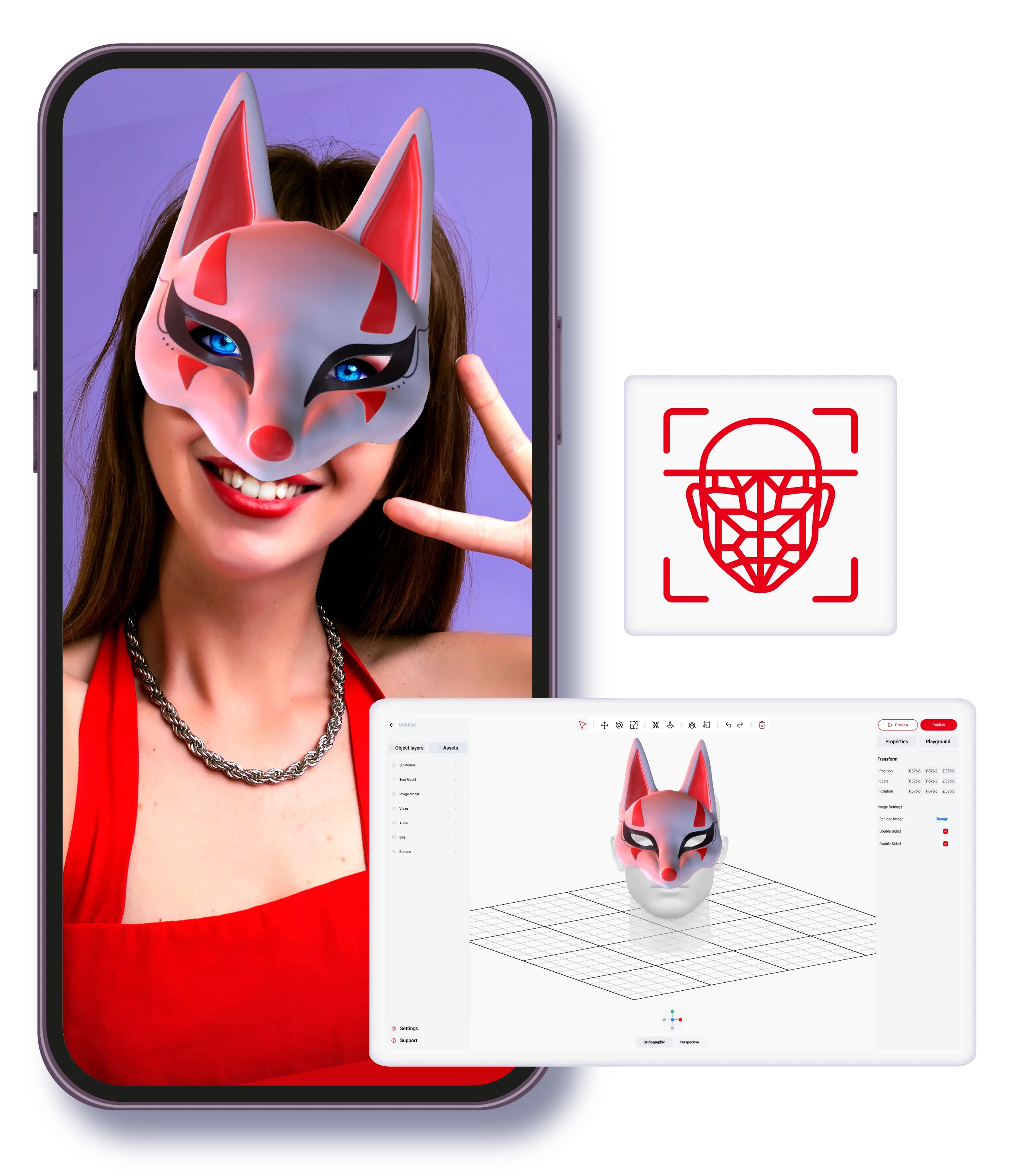
Face-tracking AR attaches digital effects to a user’s face. It is useful for branded filters, event moments, fashion and beauty previews, entertainment effects, and social sharing when the experience is designed around a selfie camera journey.
Best for
Brand filters, event activations, beauty and fashion moments, entertainment content, and selfie-driven campaigns.
Watch out for
Face effects need careful visual testing across lighting, skin tones, camera angles, and device types.
ARLOOPA fit
ARLOOPA Studio supports face-tracking planning while current-design Academy video coverage is refreshed.
Definition
What face tracking AR is
Face tracking AR detects facial position and movement so digital content can follow the user’s face. The effect can be decorative, branded, educational, entertaining, or tied to a product preview.
Because the user is usually looking at themselves, the experience needs to feel immediate, lightweight, and visually clear. Small delays or cluttered effects can make the interaction feel awkward.
- •Use it when the user’s face is the center of the experience.
- •Keep the effect readable in a selfie camera view.
- •Design for quick opening, short interaction, and easy sharing.
Brands
Brand filters
A brand filter can turn a launch, campaign, or event theme into an interactive face effect. Logos, colors, character elements, and campaign props should be integrated carefully so the result feels like an experience, not a sticker pasted over the camera.
Good filters are simple enough to understand instantly and distinctive enough to be remembered after the interaction ends.
- •Use campaign colors and recognisable visual elements.
- •Avoid covering too much of the face unless that is the concept.
- •Test the effect on multiple people before launch.
Events
Face tracking for events
Events are a strong fit because visitors are already in a sharing mindset. A face-tracking effect can support sponsor moments, photo booths, booth engagement, ticket-holder experiences, or branded social content.
Place clear access points around the venue and keep the effect fast. If visitors need too many steps, they will skip it.
- •Use QR codes, signage, or host instructions to make access obvious.
- •Keep the effect short enough for busy event environments.
- •Connect the visual theme to the booth, sponsor, or event identity.
Verticals
Fashion, beauty, and entertainment
Face tracking can support beauty previews, fashion accessories, theatrical characters, game-like effects, and entertainment campaigns. The most important design question is whether the effect helps users see themselves differently in a way that matches the brand or story.
For product-adjacent filters, avoid overpromising exact fit or appearance unless the assets and testing support that level of accuracy.
- •Beauty: color, style, and campaign effects that invite comparison.
- •Fashion: accessories, headwear, eyewear, or themed looks.
- •Entertainment: characters, masks, fan moments, and playful identity changes.
Studio steps
How to plan a face-tracking AR workflow
Start with the visual concept and the user journey. Then choose face tracking in Studio, add the assets, preview alignment, publish, and test on real devices with different faces and lighting conditions.
A face effect is only ready when it works outside the designer’s test device. Test with a realistic audience sample before using it in a campaign.
- 1Define the filter concept and the action users should take.
- 2Prepare lightweight visual assets that match the face area they will follow.
- 3Choose face tracking in Studio and add the assets.
- 4Preview the effect and adjust alignment.
- 5Publish a test version and review it on multiple phones.
- 6Refine the effect before the event or campaign launch.
FAQ
How to Create Face-Tracking AR FAQ
What is face-tracking AR used for?
It is used for face filters, branded selfie effects, beauty and fashion previews, entertainment, and event activations.
Is face tracking only for social media?
No. It can support events, brand activations, product-adjacent previews, and entertainment experiences outside social platforms.
What should I test before launch?
Test alignment, lighting, skin tones, camera angles, loading speed, and whether the effect is clear to first-time users.
Can face tracking be used at live events?
Yes. It works well when access is simple and the effect is fast enough for visitors to use in a busy venue.
Why is there no video embedded here?
The available face-tracking Academy tutorial was published before the current-Studio cutoff for this update, so the page does not embed outdated UI footage.
Existing Studio pages
Related Solutions
Use these established Studio pages when you need deeper solution or industry detail beyond this guide.
Event Experiences
Create AR booth experiences, trade show activations, sponsorship layers, scavenger hunts, and product reveals with WebAR and no-code AR tools that increase attendee engagement.
Open pageFashion
See how fashion brands use virtual try-on, WebAR, and 3D product visualization to launch interactive campaigns, product previews, and branded AR experiences.
Open pageMedia and Entertainment
Explore how media and entertainment teams use WebAR, face filters, interactive storytelling, and branded AR campaigns to create memorable audience experiences.
Open pagePricing
Compare ARLOOPA Studio pricing plans for WebAR, geospatial AR, image tracking, and no-code AR creation, and choose the right option for your team or business.
Open pageContinue reading
Related Reading
These supporting guides answer the next practical questions readers usually have before launching an AR project.
Face Tracking AR Guide
Use face tracking AR when self-expression, brand play, or visual personalization is the core interaction.
Read guideAR Advertising Guide
AR ads are strongest when they deepen the campaign moment and lead naturally to the next action.
Read guideAR Campaign Examples
Use these examples to frame practical AR campaign ideas before choosing a format or solution page.
Read guideMultiple Face Masks in One Experience
Use this guide to structure multi-mask face-tracking experiences with cleaner UX and better mobile reliability.
Read guide


