Academy tutorial
How to Create Location-Based AR
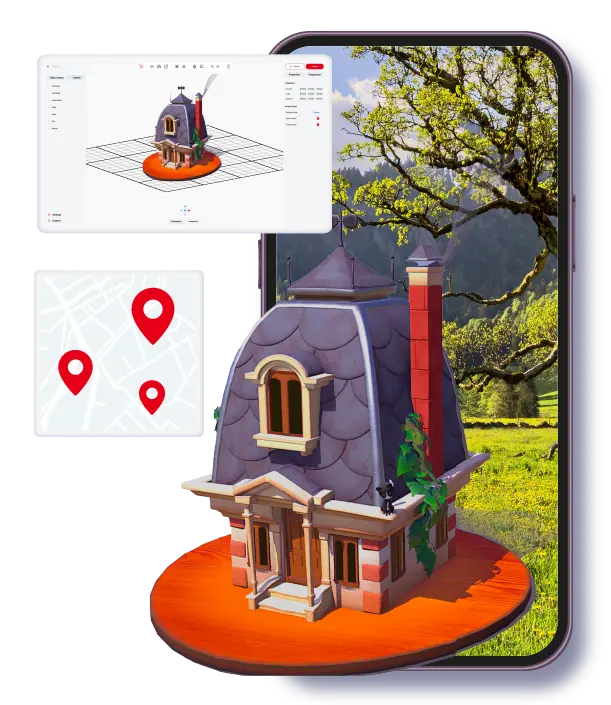
Location-based AR uses a real-world location as the entry point for content. It is useful for tours, scavenger hunts, events, and outdoor storytelling when a broad map point is enough and a fully geospatial workflow may not be necessary.
Best for
Tourism routes, city tours, outdoor events, scavenger hunts, and experiences where content opens near a place.
Watch out for
GPS accuracy, user safety, and unclear arrival instructions can weaken location-triggered experiences.
ARLOOPA fit
ARLOOPA Studio supports place-linked planning while current Academy location videos are refreshed.
Format choice
Location-based AR vs geospatial AR
Location-based AR is usually the simpler place-linked option. It can trigger content around a point or area and works well when the user only needs to arrive near a location. Geospatial AR is better when the content must align more precisely to a real-world landmark or spatial scene.
Choose the simplest format that supports the user journey. If the user only needs to unlock a story at a stop on a tour, location-based AR may be enough. If the object must feel anchored to a building or plaza, use geospatial AR.
- •Use location-based AR for broad map points and route stops.
- •Use geospatial AR when spatial alignment matters.
- •Use marker-based AR when a printed sign or label is more reliable than GPS.
Studio steps
How to create location-triggered AR
Start by defining the exact place and what the user should do there. Then create the AR experience, add content, connect it to the location, publish, and test it at the real site.
The most common mistake is designing the content before the route. The location, arrival instruction, and real walking path should guide the content plan.
- 1Choose the location and define the visitor path.
- 2Open ARLOOPA Studio and choose the location-based AR flow.
- 3Add the AR content that should appear near the place.
- 4Set the location trigger and review the map context.
- 5Publish a test version.
- 6Visit the place and test entry, loading, and instructions on a real phone.
- 7Adjust the content or location setup before public launch.
Tourism
Tourism, city tours, and landmark storytelling
Tourism teams can use location-based AR to add layers to route stops, public art, landmarks, visitor centers, and outdoor exhibits. The goal is not to overload the route with content but to make each stop easier to understand and remember.
Keep the experience useful for someone who is standing outside with limited time, changing light, and possible network constraints.
- •City walks with stories unlocked at each stop.
- •Landmark explanations with images, audio, video, or 3D content.
- •Museum grounds and heritage routes that do not require indoor signage.
Events
Scavenger hunts and outdoor events
Location-based AR can turn a venue, campus, park, or festival area into an interactive route. Scavenger hunts work best when each stop has a simple task and a clear reason to continue.
Make sure users can find the next point without stopping the event flow. If the route is confusing, the AR content will not rescue the experience.
- •Use clear start and end points for scavenger hunts.
- •Keep each stop short enough for event pacing.
- •Provide fallback instructions if GPS or network conditions are weak.
FAQ
How to Create Location-Based AR FAQ
What is location-based AR?
Location-based AR uses a real-world place as the trigger or context for opening AR content.
How is it different from geospatial AR?
Location-based AR can work with broader map points, while geospatial AR is better when content needs stronger spatial alignment to a real-world place.
What projects fit location-based AR?
Tourism routes, city tours, scavenger hunts, outdoor events, campuses, and landmark storytelling are common fits.
Do I need to test on site?
Yes. GPS accuracy, network conditions, lighting, signage, and walking paths should all be checked at the real location.
Why is there no video embedded here?
The available location-based Academy tutorial was published before the current-Studio cutoff for this update, so the page does not embed outdated UI footage.
Existing Studio pages
Related Solutions
Use these established Studio pages when you need deeper solution or industry detail beyond this guide.
Travel and Tourism
Launch AR city guides, landmark tours, destination storytelling, and geospatial visitor experiences with location-based AR for tourism, culture, and travel teams.
Open pageEvent Experiences
Create AR booth experiences, trade show activations, sponsorship layers, scavenger hunts, and product reveals with WebAR and no-code AR tools that increase attendee engagement.
Open pageArt and Culture
Discover how museums, galleries, exhibitions, and heritage projects use WebAR, image tracking, and geospatial AR to create interactive cultural experiences.
Open pagePricing
Compare ARLOOPA Studio pricing plans for WebAR, geospatial AR, image tracking, and no-code AR creation, and choose the right option for your team or business.
Open pageContinue reading
Related Reading
These supporting guides answer the next practical questions readers usually have before launching an AR project.
How to Create Geospatial AR
Create geospatial AR in ARLOOPA Studio for tourism, city storytelling, museums, landmarks, and outdoor event activations.
Read guideGeospatial AR Guide
Use geospatial AR when a real-world location or landmark needs to become part of the narrative, navigation, or activation.
Read guideGeospatial AR Use Cases
Use geospatial AR when real places need context, guidance, or narrative layers that make the visit more meaningful.
Read guideAR for Tourism Marketing Teams
Tourism AR helps destinations create richer visitor journeys through place-based storytelling and guided digital layers.
Read guide


