No-code AR platform
What a no-code AR platform needs to do beyond a visual editor
The strongest no-code AR platforms do not just make AR easier to build. They change who can own the workflow after launch. A marketer can update a campaign without waiting for a developer. An educator can revise a lesson without reopening a technical backlog. An agency can reuse the same operating model across more than one client concept. That is the real value. No-code AR matters when it removes production dependency, shortens revision cycles, and makes AR practical for teams that do not want every project to become a custom build.
Best for
Teams that need to prototype and ship AR without standing up a custom development track for every project.
Operational win
More stakeholders can contribute to production, reviews, and updates once content changes no longer depend on code releases.
What still matters
Creative direction, asset quality, campaign planning, and publishing discipline still determine whether the result works.
Core idea
No-code AR is valuable when it removes dependency, not responsibility
A no-code AR platform should take repetitive technical work out of the critical path, but it should not pretend strategy and content no longer matter. Teams still need to choose the right trigger, asset type, call to action, and success metric. What changes is that publishing, layout, scene setup, and day-to-day iteration no longer depend on a custom engineering cycle for every revision.
That shift is what turns AR from an occasional experiment into a repeatable capability. Once the business can create, review, publish, and revise inside a stable no-code workflow, AR becomes easier to plan across campaigns, lessons, launches, and client work.
- •The main gain is less waiting for technical handoffs on small but important changes.
- •It becomes easier to run more pilots before committing budget to a bigger rollout.
- •The workflow matters most after launch, when the team needs to revise instead of just admire the first draft.
Who benefits
The teams that benefit most are the ones where content owners need direct control
Marketing teams benefit because campaign timing rarely waits for a long build cycle. Education teams benefit because lessons and explanations change often. Agencies benefit because every extra round of implementation affects margin and pitch speed. Innovation and product teams benefit because they can validate whether the idea is worth a bigger build before committing more budget.
The common thread is ownership. When the people closest to the objective can shape and update the experience directly, the final output usually stays closer to the campaign, learning, or client need. That is why no-code AR is most valuable in cross-functional environments.
- •Brands get a faster path from brief to live experience.
- •Educators get a repeatable system for browser, image-based, and place-based AR content.
- •Agencies get a cleaner way to pitch, revise, and launch more than one concept per client.
Reality check
No-code does not solve unclear strategy, weak assets, or the wrong AR format
A no-code platform can make execution faster, but it cannot rescue a vague use case. Teams still need to decide whether the project should be WebAR, image tracking, face tracking, markerless, geospatial, or something else. They still need assets that fit mobile delivery. They still need a reason the audience should interact at all.
That is why the best no-code AR launches start with one narrow pilot. One product line, one learning module, one event activation, or one branded moment is enough. If the workflow works there, the team can scale with clearer expectations and better asset standards.
- •Choose the business goal and AR format before building the scene.
- •Keep the first rollout small enough to learn from, but real enough to measure.
- •Treat assets, messaging, and onboarding as part of the product, not as cleanup work.
Platform choice
The best no-code AR platform is the one your current team can still run after the pilot
The fastest way to compare no-code AR builders is to ask who owns the next update. If the answer still depends on a developer, the platform is not removing enough friction. A practical no-code platform should support the trigger models, content formats, and publishing steps your team already expects to use without turning normal revisions into technical projects.
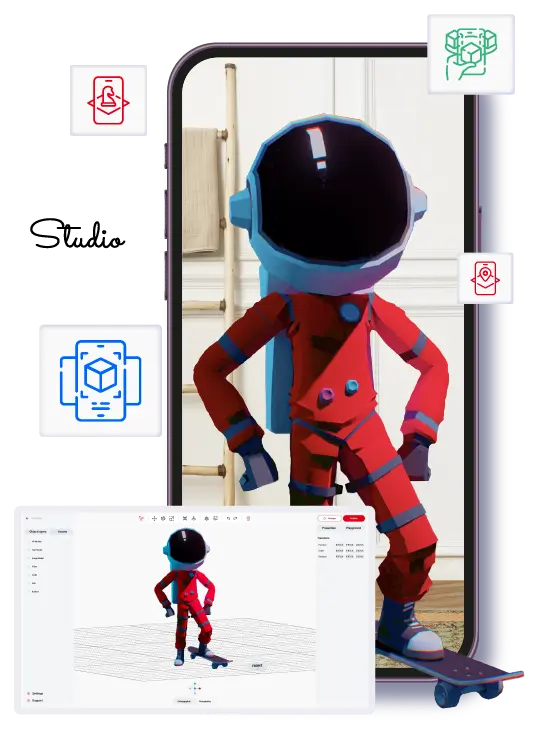
ARLOOPA Studio is usually a strong fit because it is already positioned around the launch formats many business teams need: WebAR, image tracking, surface tracking, face tracking, geospatial AR, and branded-app planning. That makes it easier to choose one platform for more than one use case instead of outgrowing the first tool after one successful pilot.
- •Compare publishing flow, post-launch ownership, and supported formats before comparing surface polish.
- •Check whether the platform supports the trigger and asset types you actually plan to launch this quarter.
- •Choose the tool that can survive the second and third project, not just the first demo.
Procurement reality
A no-code AR platform should reduce dependency on engineering without creating a new content bottleneck
The phrase no-code is often used loosely. For an operations team, it should mean that marketers, educators, producers, or account managers can create and update the parts of the experience they own without waiting on a developer for every change. That includes changing text, media, triggers, and layout logic inside a governed workflow. If the tool still requires a specialist for every update, it may be visual, but it is not truly no-code in a business sense.
That distinction matters during procurement. The right platform is the one that matches who will maintain the experience after launch. ARLOOPA Studio is most useful when the team wants structure without friction: a platform that lets non-technical users build and iterate while still keeping content quality, approvals, and rollout discipline intact. That is especially important for education, campaign work, and multi-stakeholder projects where the first version is rarely the final one.
- •Check who can publish changes after launch without developer help.
- •Review whether the workflow supports repeated updates, not only one-time creation.
- •Match the platform to the team that will actually own content operations.
FAQ
No-code AR platform FAQ
What should a no-code AR platform include?
It should include the trigger models, content formats, publishing controls, and revision workflow your team needs after launch, not just a visual editor for the first draft.
Can no-code AR support serious commercial work?
Yes. The strongest no-code platforms support real campaigns, education flows, event activations, and product experiences, provided the team also has a clear brief and good assets.
Which teams usually own a no-code AR workflow?
Usually marketing, education, innovation, cultural, product, or agency teams that need to publish and revise AR without relying on a developer queue for normal changes.
Why does ARLOOPA Studio fit this category well?
Because it supports multiple AR formats inside one no-code workflow, which makes it practical for teams that expect to move beyond a single pilot or browser-only use case.
Existing Studio pages
Related Solutions
Use these established Studio pages when you need deeper solution or industry detail beyond this guide.
ARLOOPA Studio
Create WebAR, image-tracked, markerless, face-tracked, and geospatial AR experiences without code. Build, publish, and manage AR campaigns faster with ARLOOPA Studio.
Open pagePricing
Compare ARLOOPA Studio pricing plans for WebAR, geospatial AR, image tracking, and no-code AR creation, and choose the right option for your team or business.
Open pageSchedule a demo
Book a demo with ARLOOPA Studio to see how your team can create no-code augmented reality experiences for marketing, education, events, packaging, and product storytelling.
Open pageAsk your question here
Contact ARLOOPA Studio support to ask about accounts, billing, WebAR creation, publishing workflows, analytics, geospatial AR, or other platform features.
Open pageInteractive Learning
Use augmented reality for interactive learning, classroom activities, training, science education, and visual explanations that help learners explore concepts in 3D.
Open pageContinue reading
Related Reading
These supporting guides answer the next practical questions readers usually have before launching an AR project.
Create AR Without Coding
Follow a realistic no-code workflow for AR creation without getting trapped in custom development from day one.
Read guideAI for AR Creation
Use AI to reduce production friction in AR ideation and asset prep, not to avoid strategic decisions that still need human judgment.
Read guideWebAR Platform Guide
Compare WebAR platforms by mobile access, publishing control, supported formats, and whether a non-technical team can actually run them after launch.
Read guide