Academy tutorial

How to Turn a Real Object into a 3D Model for ARLOOPA Studio

A strong AR experience often starts with a good 3D asset. ARLOOPA Factory gives creators a path from a real object to a downloadable 3D model, then ARLOOPA Studio lets that model become part of a marker-based, markerless, WebAR, or app-based AR workflow.

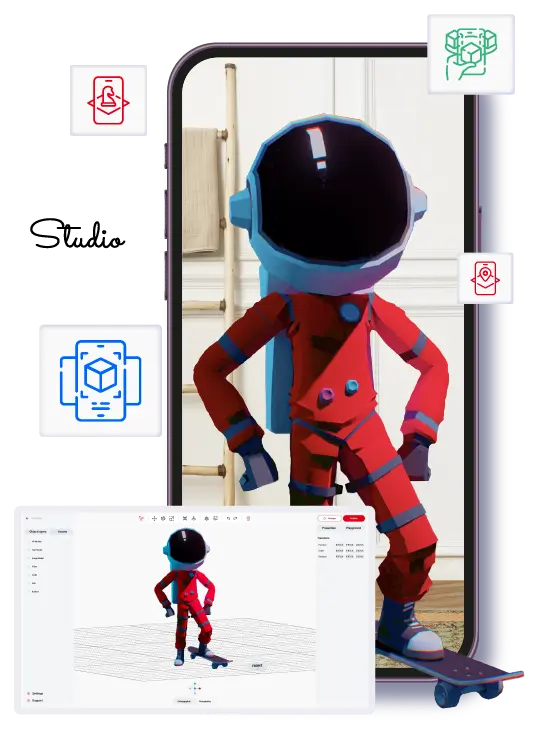
ARLOOPA Studio workspace for 3D model AR

Best for

Products, classroom objects, artifacts, prototypes, and physical items that need to become AR-ready assets.

Watch out for

The scan quality depends on lighting, coverage, object shape, and how carefully the model is reviewed before import.

ARLOOPA fit

ARLOOPA Factory and Studio connect capture, model export, AR creation, and publishing into a practical workflow.

Tutorials

Video tutorial for this workflow

Watch the matching Studio walkthrough before you build so the setup, asset choices, and publishing steps are easier to follow.

Turn Any Object into a 3D Model with ARLOOPA Factory | Download & Use in ARLOOPA Studio

Watch the current Academy tutorial for turning a real object into a 3D model and using it in ARLOOPA Studio.

Video summary

This Academy tutorial shows how to turn a real object into a reusable 3D asset with ARLOOPA Factory, download the model, and bring it into ARLOOPA Studio so it can be used in an augmented reality experience. It is useful for product teams, educators, and creators who need a practical path from a physical object to an AR-ready model.

Asset strategy

Why 3D assets matter for AR

The 3D asset is often the first thing users judge in an AR experience. If the model is too heavy, poorly scaled, or visually confusing, the experience can feel unfinished even when the tracking works well.

Scanning a real object can be useful when the asset already exists physically and accuracy matters more than inventing a new model from scratch.

  • Use scanning when the real object already carries product or educational value.
  • Review the generated model before building the AR experience around it.
  • Optimize the asset if mobile loading or performance is weak.

Workflow

Step-by-step flow: scan, download, import, create AR

The workflow starts with capture and ends with a real AR test. Do not treat the download step as the finish line. The model still needs to be checked inside Studio and tested in the AR format users will open.

For product visualization, markerless AR is often the first test. For education cards or printed guides, marker-based AR may be a better delivery format.

  1. 1Prepare the object and capture conditions for ARLOOPA Factory.
  2. 2Scan the object with enough coverage and consistent lighting.
  3. 3Review and download the generated 3D model.
  4. 4Import or upload the model into ARLOOPA Studio.
  5. 5Choose the AR experience type that fits the user journey.
  6. 6Place, scale, and preview the model in Studio.
  7. 7Publish and test the model on a real phone.

Scanning tips

Best scanning tips for AR-ready models

Good scans start with clear visibility. Use steady lighting, avoid reflective surfaces when possible, and capture the object from enough angles so the model has the information it needs.

After the model is generated, inspect it for missing geometry, texture issues, scale problems, and unnecessary detail that could hurt mobile performance.

  • Use even lighting and avoid harsh shadows or glare.
  • Capture all sides of the object instead of only the front.
  • Prefer objects with visual texture over blank reflective surfaces.
  • Check file weight before publishing the AR experience.

Product visualization

Product visualization use cases

Scanning is useful when a product sample, prototype, or display item already exists and needs to become viewable in AR. Teams can use the model for sales previews, ecommerce experiments, internal reviews, packaging concepts, or trade show demos.

For public product visualization, accuracy matters. If the scan is only approximate, position it as a concept or replace it with a polished production model before launch.

  • Prototype previews for sales or internal approval.
  • Markerless product placement in real environments.
  • Trade show and event demos using scanned physical samples.
  • Catalog or packaging experiences linked to a product model.

Education

Education use cases

Teachers and students can scan classroom objects, handmade models, artifacts, or learning materials and use them in AR projects. This makes the workflow useful for project-based learning because the asset can come from the student’s physical environment.

The learning value comes from the full process: choosing the object, capturing it carefully, reviewing the model, and explaining why it belongs in the AR lesson.

  • Student-made objects turned into AR class projects.
  • Science or history artifacts used as interactive learning assets.
  • Museum or school collections converted into mobile AR examples.

FAQ

How to Turn a Real Object into a 3D Model for ARLOOPA Studio FAQ

Can ARLOOPA Factory turn a real object into a 3D model?

Yes. The current Academy tutorial shows a workflow for using ARLOOPA Factory to create a 3D model from a real object and then use it in ARLOOPA Studio.

What should I check before importing the model into Studio?

Review geometry, texture quality, file size, scale, and whether the model is clear enough for the intended mobile AR use case.

Which AR type should I use with a scanned model?

Markerless AR is common for product placement, while marker-based AR can work well when the model should open from a printed card, catalog, or package.

Can scanned models be used in education?

Yes. Scanned classroom objects, artifacts, student projects, and learning models can become useful AR assets.

Do scanned models always need optimization?

Not always, but you should check mobile loading and performance. Heavy models may need simplification before public use.

Next step

Create a 3D model AR experience

Use ARLOOPA Factory and Studio to move from a real object to a publishable AR experience.

Existing Studio pages

Related Solutions

Use these established Studio pages when you need deeper solution or industry detail beyond this guide.

Continue reading

Related Reading

These supporting guides answer the next practical questions readers usually have before launching an AR project.


ARLOOPA Inc. 2026