Academy tutorial
How to Create WebAR in ARLOOPA Studio
WebAR lets users open an augmented reality experience from a browser instead of installing an app. This guide explains how to plan, create, publish, and test a WebAR experience in ARLOOPA Studio without turning the project into a custom development cycle.
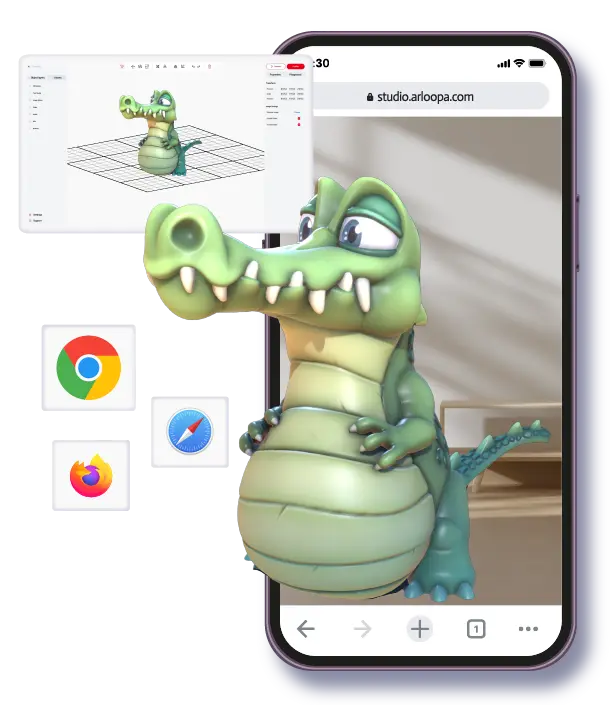
Best for
Campaigns, product previews, packaging, print media, and sales journeys where browser access is more important than app depth.
Watch out for
WebAR still needs mobile testing, asset optimization, clear permissions, and a short path from link or QR code to camera access.
ARLOOPA fit
ARLOOPA Studio helps teams create browser-first AR experiences without writing custom code.
No-code WebAR
Create WebAR without coding
A WebAR project is not only an AR effect. It is a mobile browser journey: someone scans a QR code or taps a link, grants camera permission, waits for the experience to load, and interacts with the content. Planning that journey matters as much as choosing the AR asset.
ARLOOPA Studio gives teams a no-code way to create and publish that browser-based experience. The best results come from choosing a focused use case and keeping the first interaction simple.
- •Use WebAR when easy access matters more than app-only features.
- •Keep assets optimized for mobile browser loading.
- •Test the QR code, camera permission, loading, and first interaction as one flow.
Video status
Current Academy video availability
The available ARLOOPA Academy WebAR tutorial was published before the current-Studio cutoff used for this SEO update, so this page does not embed it. A current-design Academy video can be added to this page as soon as a refreshed WebAR walkthrough is published.
The written workflow below is still useful for planning and creating a WebAR experience in the current Studio context.
Studio steps
Step-by-step guide to creating WebAR
Start with the user entry point. Decide whether people will open the experience from a QR code, product page, campaign landing page, email, or printed asset. Then build the AR content around that access path.
After publishing, test the full browser journey on real phones. Desktop preview is not enough for WebAR because camera permission and mobile loading are part of the experience.
- 1Define the use case and the page, package, poster, or product where users will open the experience.
- 2Open ARLOOPA Studio and choose the AR type that matches the trigger, such as marker-based or markerless AR.
- 3Choose WebAR as the delivery path when Studio asks where the experience should open.
- 4Upload or create the content asset and optimize it for mobile loading.
- 5Preview the scene and confirm the first view is clear.
- 6Publish the experience and generate the link or QR entry point.
- 7Test on multiple phones with real network, lighting, and camera-permission conditions.
Use cases
WebAR use cases
WebAR is especially useful when the user should not install an app before seeing value. Product pages can open product previews, packaging can trigger brand stories, print media can reveal animated layers, and event signage can launch short sponsor experiences.
The format works best when the interaction is focused. If the project requires long sessions, many features, or deeper app integrations, compare WebAR with app-based AR before committing.
- •Packaging and labels opened from QR codes or marker images.
- •Product visualization from ecommerce pages or sales links.
- •Print media, posters, catalogs, and brochures.
- •Event activations where speed and access are critical.
Comparison
WebAR vs app-based AR
Choose WebAR when fast access, browser sharing, and campaign entry are the priority. Choose app-based AR when the project needs app-specific features, deeper repeat usage, or an existing app audience.
A good decision starts with the audience. If users are first-time visitors at a campaign touchpoint, WebAR often reduces friction. If users already have the ARLOOPA app or need a richer app context, app-based AR can be a better fit.
- •WebAR: lower friction, browser access, easier campaign sharing.
- •App-based AR: deeper app context, repeat usage, and app-specific behavior.
- •Hybrid planning: use WebAR for entry and app experiences where the app adds clear value.
Common mistakes
Common WebAR mistakes to avoid
Most WebAR problems appear in the mobile journey, not the AR idea. Heavy 3D files, unclear QR placement, weak camera-permission copy, and confusing first interactions can reduce completion even when the AR content itself is good.
Treat WebAR like a conversion flow. Remove unnecessary steps, compress assets, and make the first useful moment happen quickly.
- •Do not publish without testing on real phones and mobile networks.
- •Do not use oversized 3D assets when a simpler model works.
- •Do not hide the QR code or link in a place users will miss.
- •Do not make the first screen explain too much before the AR value appears.
FAQ
How to Create WebAR in ARLOOPA Studio FAQ
Can I create WebAR without coding?
Yes. ARLOOPA Studio is designed to let teams create and publish WebAR experiences without building a custom-coded AR app from scratch.
When should I choose WebAR?
Choose WebAR when users need fast browser access from a link, QR code, product page, package, poster, or campaign touchpoint.
Does WebAR work for product visualization?
Yes. WebAR can support product previews when assets are optimized and the mobile browser journey is tested carefully.
How should I test a WebAR experience?
Test the link or QR code, camera permission, loading time, first interaction, and content performance on real phones before launch.
Why is there no video embedded on this page?
The available WebAR Academy tutorial was published before the current-Studio cutoff for this update, so this page avoids embedding outdated interface footage.
Existing Studio pages
Related Solutions
Use these established Studio pages when you need deeper solution or industry detail beyond this guide.
Product Visualization
Help buyers understand products in 3D and AR before purchase. Build product demos, placement previews, and interactive product stories without coding.
Open pagePackaging
Turn packaging into a scan-to-open WebAR channel for product education, brand storytelling, promotions, QR campaigns, and loyalty experiences without an app.
Open pagePricing
Compare ARLOOPA Studio pricing plans for WebAR, geospatial AR, image tracking, and no-code AR creation, and choose the right option for your team or business.
Open pageContinue reading
Related Reading
These supporting guides answer the next practical questions readers usually have before launching an AR project.
WebAR Platform Guide
Compare WebAR platforms by mobile access, publishing control, supported formats, and whether a non-technical team can actually run them after launch.
Read guideWebAR vs App-Based AR
Use this comparison to decide whether browser delivery or native app delivery is the more honest fit for your AR project.
Read guideHow to Create Markerless AR
Create markerless AR for surface placement, product previews, education objects, and mobile testing workflows in ARLOOPA Studio.
Read guideHow to Create Marker-Based AR
Prepare marker images, choose 3D or video content, and create marker-based AR for packaging, print, education, art, and catalogs.
Read guide


