1
Upload the marker image
Choose the image people will scan. This becomes the target that triggers the AR experience.
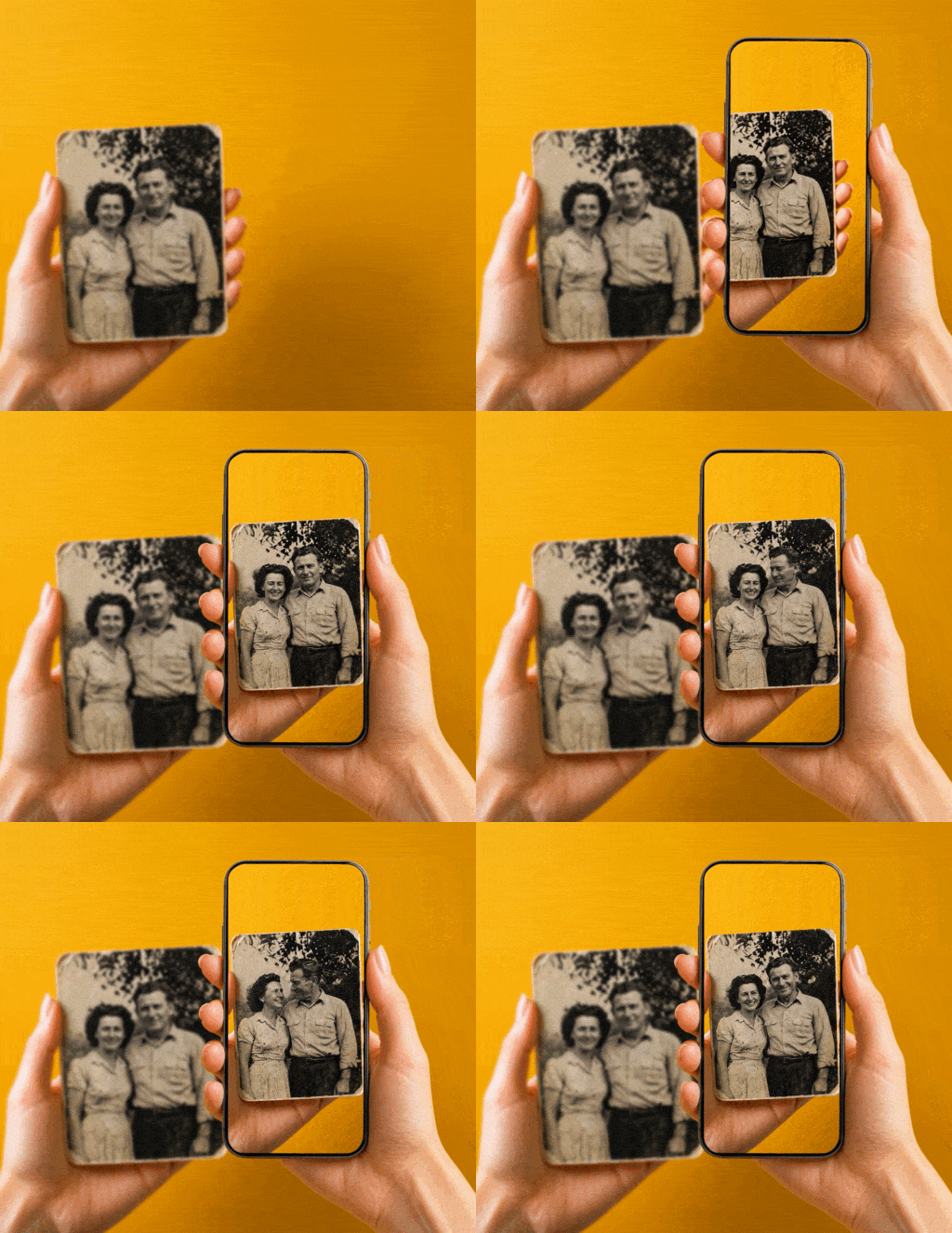
The Make image alive template turns a static image into a marker-based AR experience. Upload the image people will scan, generate a short AI video from it, and publish the result for Web AR or the ARLOOPA app.
Best for
Packaging, posters, books, invitations, menus, and any printed image that should reveal motion after scan.
What it creates
A marker-based experience where the uploaded image becomes the scan target and the generated video plays on top of it.
Publishing options
You can publish this template to Web AR for browser access or to the ARLOOPA app for app-based delivery.
Step by step
The template keeps the setup short. You provide the marker image, prompt, and title, then Studio handles the AI generation and publishing flow.
Choose the image people will scan. This becomes the target that triggers the AR experience.
Describe the kind of animation you want so the AI video stays close to the original image while adding believable motion.
Set the experience title and decide whether you want to publish for Web AR, the ARLOOPA app, or both.
Studio requests the AI video, waits for the result, and prepares the marker-based experience automatically.
Publish the finished experience and share the scan link or app access path with your audience.
Before you start
The best marker images have clear contrast, recognizable details, and enough visual features for tracking. Flat areas with little texture usually scan worse than detailed artwork, packaging, or illustrations.
If the image will also be used for AI video generation, keep the main subject readable and avoid overcrowded compositions that make motion look messy.
What the template automates
Instead of building the experience from scratch, the template prepares the marker-based structure for you and connects the generated AI video into the publishing flow.
That makes it useful for quick campaign prototypes, content demos, and print activations where the goal is to move fast without rebuilding the same setup every time.
Where it fits best
This workflow works well when the audience already has a clear image to scan and the main effect is to make that printed surface feel alive. It is especially effective for packaging, print media, education, and product storytelling.
FAQ
Yes. The Make image alive template supports both Web AR and the ARLOOPA app, so you can choose the delivery format that fits your audience.
Images with strong contrast, distinct shapes, and enough detail usually work best for both tracking and AI video generation.
Yes. After the template finishes, you can continue editing the experience in Studio before or after publishing.
No. Packaging is a strong fit, but the same workflow also works for posters, books, invitations, menus, and other printed media.



Products
Solutions
ARLOOPA Inc. 2026