1
Upload your card image
Use the final card design or a detailed family photo. This exact image is what people will scan, so upload the version you plan to print.
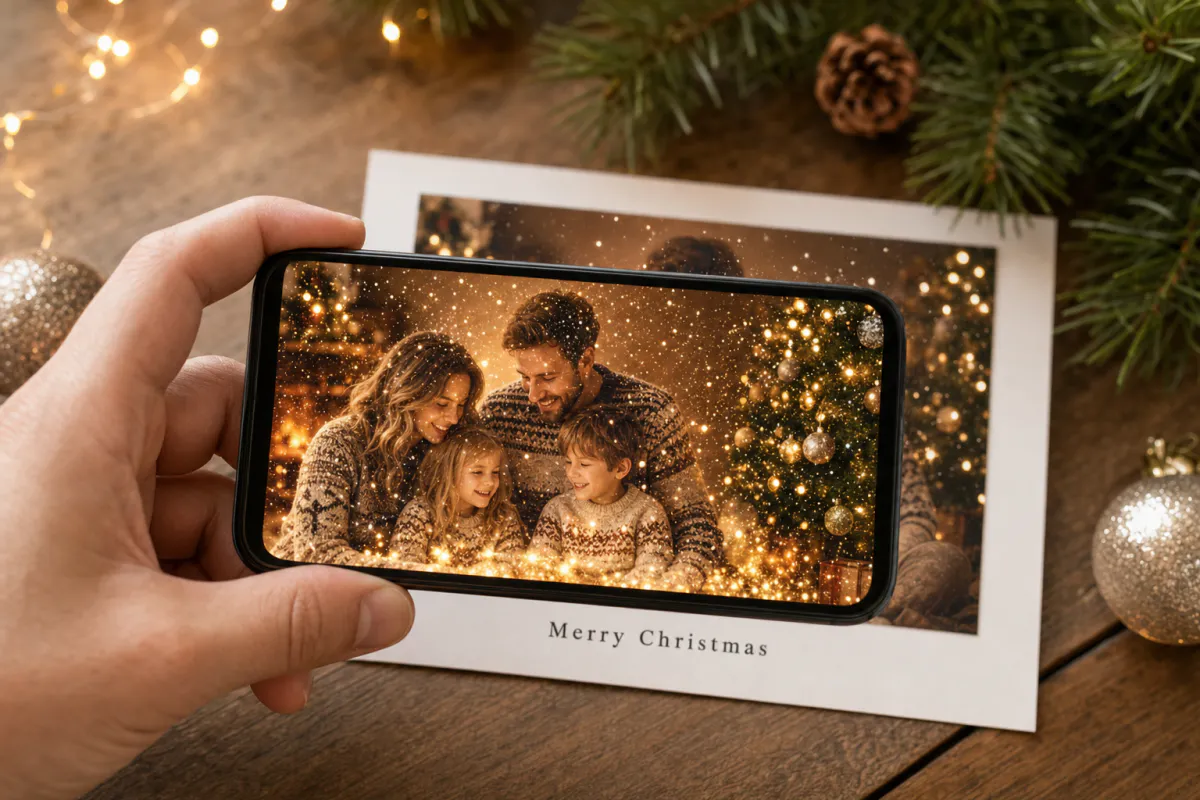
Make a Christmas card that moves. Upload your card design or family photo, and Studio animates it with falling snow, twinkling lights and a warm festive glow. When someone points their phone at the printed card, the picture comes alive right on top of it.
Best for
Family photo cards, cards for friends abroad, teacher and classroom cards, and small businesses sending seasonal thank-yous.
What it creates
A marker-based AR experience: your card image is the scan target, and an AI-animated version of it plays on top when scanned.
How people open it
Publish as WebAR so recipients scan a QR code and watch in the phone browser, or publish to the ARLOOPA app.
Step by step
The builder starts with a Christmas preset: a festive experience name and a motion prompt that keeps faces and the original layout intact. You can change either before generating.
Use the final card design or a detailed family photo. This exact image is what people will scan, so upload the version you plan to print.
The preset asks for gentle snow, twinkling lights and a warm glow. Add details such as “the dog wags its tail” or “the fireplace flickers” to make it personal.
Keep Web AR on for browser access from a QR code, which works best for cards sent to people who don’t have the ARLOOPA app.
Studio creates a short AI video from your image and builds the marker-based experience around it. The builder shows the coin cost before you start.
Publish, place the QR code on the back of the card, print a test copy and scan it once before you send the whole batch.
Ideas
The best AR cards add one small surprise to a picture people already care about. A family portrait where the snow starts falling and the tree lights twinkle feels more personal than a generic animation, because the moment belongs to the people in the photo.
Because the AR is tied to the printed image, the card works as both a keepsake and an experience. Grandparents can keep it on the fridge and show the animation to visitors for weeks.
Card printing
Christmas photos are often taken indoors under tree lights, which can leave them dark or blurry. Pick a sharp, well-lit shot with detail in the sweaters, ornaments and room, because the phone needs that texture to recognize the card on someone's mantel.
Holiday print shops love glossy finishes and gold foil, but both bounce lamp light back into the camera. Order a single matte proof of the exact uploaded image, scan it by the tree in the evening, and only then approve the full run of cards.
Timing
Generating the AR takes minutes, but printing and posting take days, so finish the digital part first. Create and test the AR before you send the design to print, so you can still swap the photo if tracking isn’t reliable.
Sending digitally instead? Share the card image in a message along with the WebAR link. The recipient can open the link on one device and point it at the image on another screen, or simply watch the animation full screen.
FAQ
No, if you publish it as WebAR. Recipients scan the QR code with their phone camera, the experience opens in the browser, and they point the phone at the card to watch the animation.
Yes. A detailed family photo usually tracks better than a minimalist design, because it has more visual features for the phone to recognize. Print exactly the image you uploaded.
Studio generates a short AI video from your image based on the motion prompt. The Christmas preset asks for falling snow, twinkling lights and a warm glow while keeping people and the layout natural. You can edit the prompt before generating.
The AI video uses Studio coins, and the builder shows the estimated cost before you generate. Check the pricing page for the plans that include marker-based publishing and coins.
The printed card stays the scan target, but the experience lives in Studio. You can open it in the editor later to adjust or replace the content without reprinting.
More templates
Every occasion uses the same quick workflow: upload a photo, add AI motion, share as WebAR.
Holiday AR postcard template for businesses
Corporate Christmas and New Year cards, client thank-you mailers, holiday packaging inserts and in-store seasonal posters.
See the guideThanksgiving AR card template
Family Thanksgiving cards, dinner place cards, notes for hosts, gratitude cards for teachers and volunteers, and client thank-yous from small businesses.
See the guideNew Year AR greeting card template
Personal New Year cards, year-in-review photo greetings, team cards and client wishes from agencies or small businesses.
See the guide


Solutions
ARLOOPA Inc. 2026