1
Upload the final postcard design
Use the print-ready artwork. Designs with photos, textures and illustration detail track better than flat brand color fields.
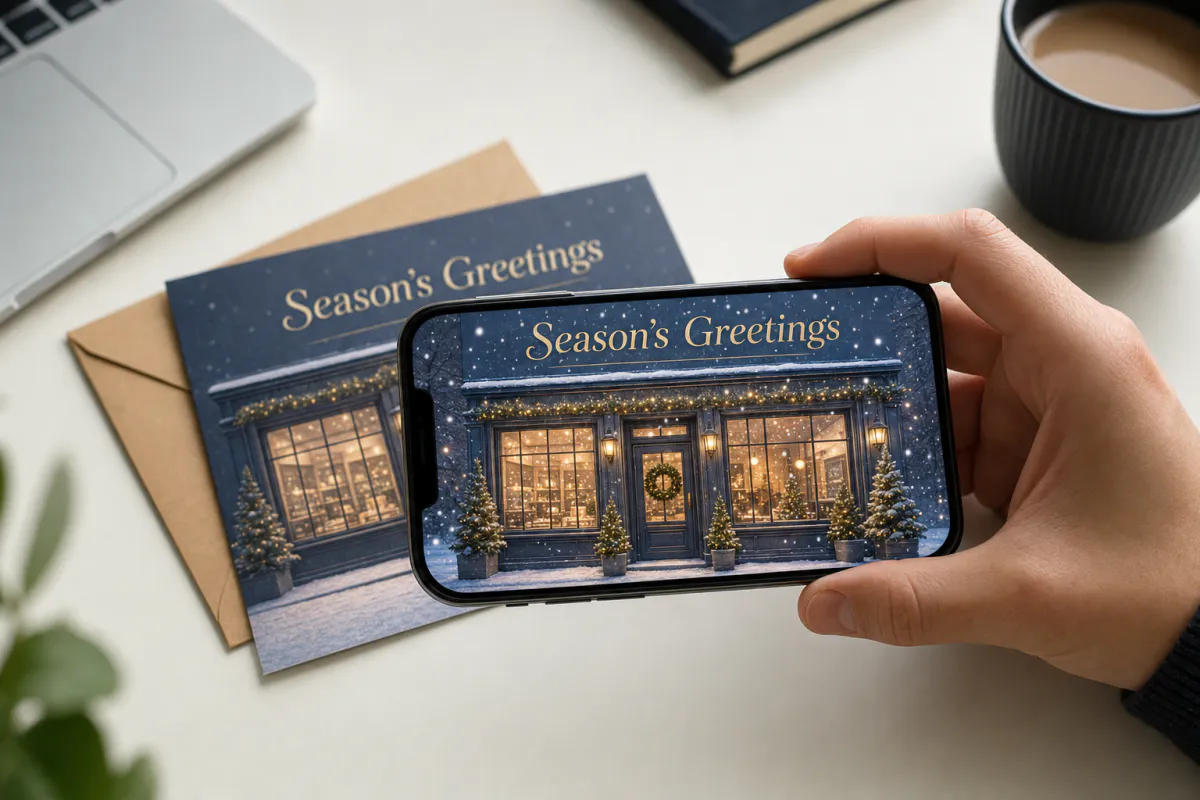
Make your company’s holiday card the one people actually show around. Upload your season’s greetings design, and Studio adds subtle festive motion that plays over the printed postcard when scanned, while keeping your logo, products and text sharp.
Best for
Corporate Christmas and New Year cards, client thank-you mailers, holiday packaging inserts and in-store seasonal posters.
What it creates
A marker-based AR experience on your printed design, opened from a QR code as WebAR, with no app for clients to install.
Built to scale
Use your own branding on white-label plans, connect a custom hostname, and follow scans on the analytics page.
Step by step
The builder opens with a business holiday preset: a calm, premium motion prompt that keeps logos, text and products unchanged.
Use the print-ready artwork. Designs with photos, textures and illustration detail track better than flat brand color fields.
Keep the subtle snow and glow, or describe on-brand motion, such as your product catching the light or your storefront windows glowing.
Clients and customers open it from a QR code in their phone browser. On eligible plans you can apply your own logo and colors to the WebAR experience.
Studio creates the AI video and the marker-based experience. Review it in the editor and refine the content if needed.
Add the QR code and a short call to action, approve a test print, then check scans on the analytics page after the mailing goes out.
Use cases
Holiday mail is crowded, and most cards get a glance before they are put away. A card that reacts when scanned gives clients a reason to pick it up again and show a colleague, and it gives you a measurable scan instead of a guess.
The same template works anywhere your printed holiday design appears, from the card on a client’s desk to the insert in a seasonal order.
Production tips
Brand artwork often relies on large fields of flat color and a centered logo, which are hard for image tracking to distinguish. Build the postcard around a photo, illustration or textured pattern, and treat the logo as one element of a detailed design rather than the whole design.
Before the mailing house prints thousands of copies, request a hard proof on the final stock and scan it on several phones. Spot UV, soft-touch laminate and foil can all change how the card reflects light, so test the finish, not just the artwork.
Go further
Once the card is live, you can open the experience in the Studio editor and add more: a 3D product model, a button that links to your holiday offer, audio, or Scene Logic interactions that reveal content on tap.
For a larger rollout, the same approach covers packaging, posters and catalogs. Agencies can deliver several client cards from one workflow, with white-label branding and custom hostnames on eligible plans.
FAQ
No. Published as WebAR, the postcard opens from a QR code in the phone browser. Clients point the phone at the card to see the animation.
Yes. On plans with a resell or white-label license, WebAR experiences can use your logo and brand colors, and custom hostnames let the link use your own domain.
Yes. Studio’s analytics page shows views of your experiences, so you can see how the mailing performed and compare placements.
Yes. After generating, open the experience in the Studio editor to add buttons, 3D models, audio or Scene Logic interactions, such as a button that opens your store.
Yes. Agencies can create one experience per client from the same workflow, and white-label plans let each one carry the client’s branding.
More templates
Every occasion uses the same quick workflow: upload a photo, add AI motion, share as WebAR.
Christmas AR card template
Family photo cards, cards for friends abroad, teacher and classroom cards, and small businesses sending seasonal thank-yous.
See the guideThanksgiving AR card template
Family Thanksgiving cards, dinner place cards, notes for hosts, gratitude cards for teachers and volunteers, and client thank-yous from small businesses.
See the guideNew Year AR greeting card template
Personal New Year cards, year-in-review photo greetings, team cards and client wishes from agencies or small businesses.
See the guide


Solutions
ARLOOPA Inc. 2026