1
Upload the final poster artwork
Use the same file you send to the printer. Illustrated or photographic posters with plenty of detail are recognized faster than minimal type-only designs.
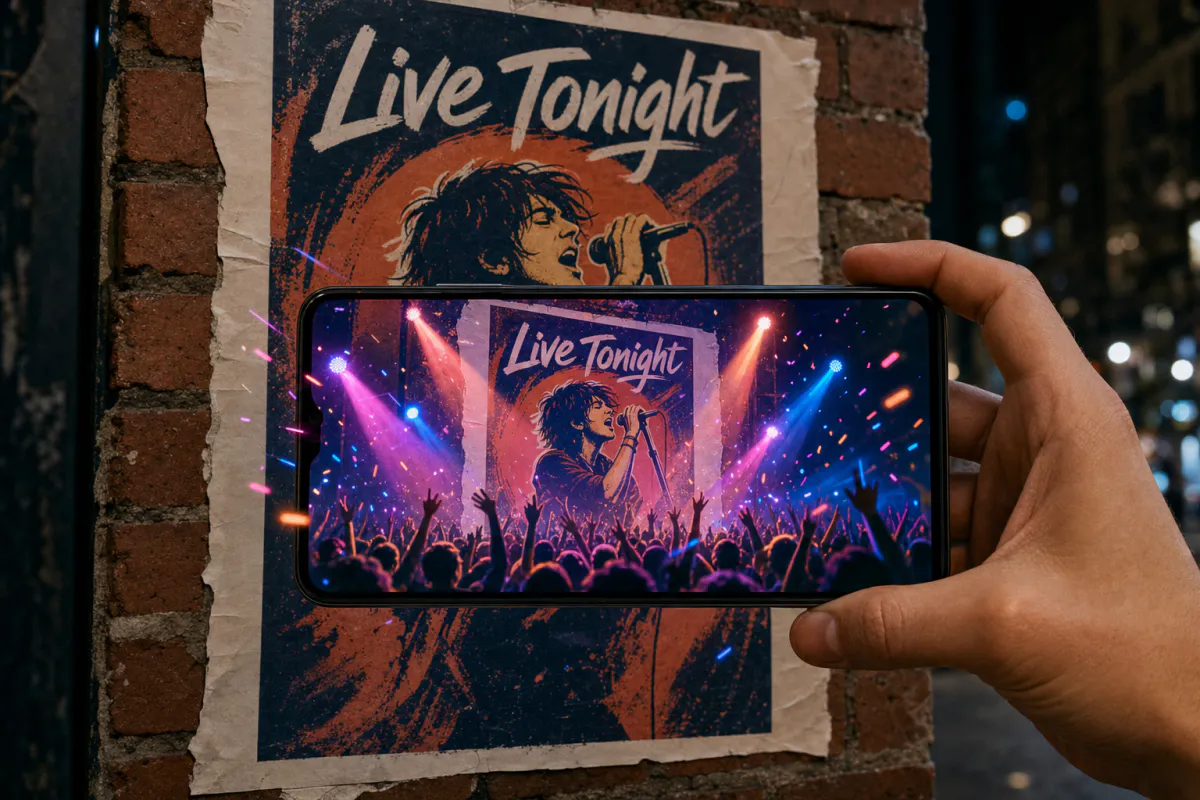
Make the poster the first part of the show. Upload your event artwork, and Studio turns it into an AR experience where stage lights sweep, the crowd energy builds and the design moves, while the date, venue and logos stay crisp. Anyone with a phone can watch it play on the printed poster.
Best for
Concerts, club nights, festivals, theater runs, conferences, exhibitions, sports fixtures and product launches.
What it creates
A marker-based AR experience tied to your poster artwork, opened from a QR code as WebAR or in the ARLOOPA app.
What stays sharp
The preset keeps logos, lineups and text unchanged, so the essential event details never get lost in the motion.
Step by step
The builder opens with the event poster preset: bold stage-style motion that animates the artwork and leaves typography alone.
Use the same file you send to the printer. Illustrated or photographic posters with plenty of detail are recognized faster than minimal type-only designs.
Keep sweeping lights and crowd energy, or rewrite the prompt for your event, such as a speaker stepping into a spotlight or confetti over a finish line.
Use the event name and date in the experience name, and choose Web AR so anyone can scan it, the ARLOOPA app, or both.
Check the coin estimate, then generate. Studio produces a roughly five-second AI clip that plays on top of the printed poster.
Add a QR code and a "Scan the poster" prompt, put up one proof in a real location and scan it from where people will actually stand.
Why it works
Event posters compete with every other flyer on the wall, and people pass them in seconds. When the artwork moves on a phone screen, the poster turns into a small preview of the night, and that is something people record and send to friends.
It also bridges print and sales. The person scanning the poster is already holding their phone, which is the right moment to show a ticket button, the full lineup or the schedule.
Print and tracking
Phones recognize the poster most reliably when it fills a good part of the camera view. A small handbill can be scanned at arm’s length, while a large poster on a street wall works best when people can step close enough to frame it, so think about where the audience will stand before you choose the size.
Placement changes everything outdoors. Posters behind glass in bus shelters or shop windows pick up reflections, and posters pasted in overlapping rows get partly covered, which hides the details the camera relies on.
Go further
Open the experience in the Studio editor once it is generated. Add a button that goes straight to tickets, attach the headline track as audio, place a 3D logo next to the poster, or use Scene Logic so a tap reveals set times.
For promoters running many placements, create one experience per poster version or neighborhood and compare them on the analytics page. On eligible plans, white-label WebAR branding and a custom hostname keep the whole experience under the event’s own name.
FAQ
Yes. Publish it as WebAR and anyone can open it from the QR code in the phone browser, then point the camera at the poster.
It can, as long as people are close enough to frame the artwork with their phone and the full design is visible. Test a proof in the real location first.
The preset tells the AI to keep text and logos unchanged. Review the generated video and adjust the prompt if any key details move or blur.
Yes. Open the experience in the Studio editor and add a button that opens your ticketing page.
Yes, as long as every size is printed from the same image without cropping or redesign. A changed layout needs its own experience.
More templates
Every occasion uses the same quick workflow: upload a photo, add AI motion, share as WebAR.
AR restaurant menu template
Signature dish pages, table tents, specials boards, dessert cards and window menus for restaurants, cafés, bars and food trucks.
See the guideReal estate AR flyer template
Listing flyers, open house handouts, just-listed postcards, window cards at the agency and new development brochures.
See the guideAR children’s book page template
Picture books, early readers, activity books, classroom worksheets, book covers and promotional bookmarks.
See the guide


Solutions
ARLOOPA Inc. 2026