1
Upload the hero listing photo
Use the main exterior or living room shot that appears on the flyer. Photos with windows, furniture and garden detail track better than a facade against an empty sky.
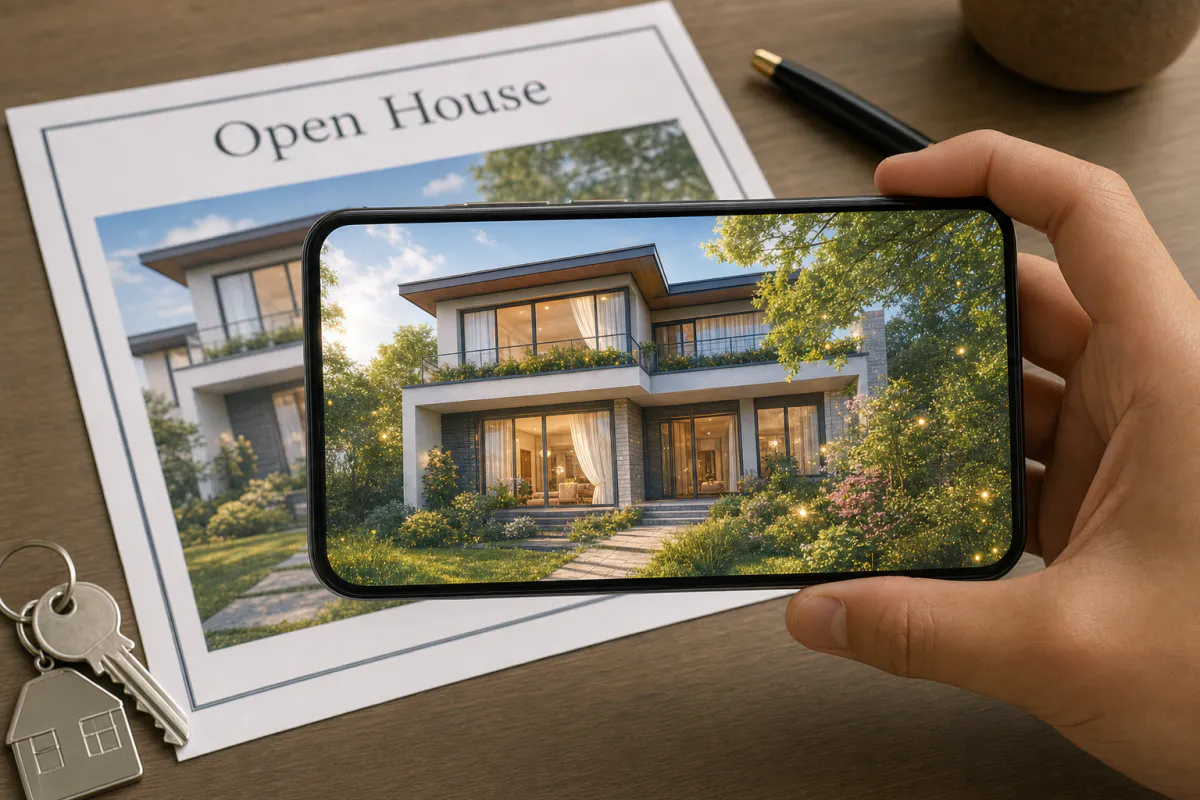
Turn a listing flyer into a moving first impression. Upload the hero photo of the property, and Studio generates a calm AI animation where daylight shifts, curtains move in a light breeze and the camera glides toward the home. Buyers see it play on the printed flyer the moment they scan it.
Best for
Listing flyers, open house handouts, just-listed postcards, window cards at the agency and new development brochures.
What it creates
An image-tracking AR experience on the property photo that opens as WebAR from a QR code or in the ARLOOPA app.
What stays sharp
The preset keeps the agency logo and flyer text unchanged while the photo gains gentle, realistic motion.
Step by step
The builder opens with the real estate preset: slow daylight, a light breeze and a gentle camera glide that suit property photography.
Use the main exterior or living room shot that appears on the flyer. Photos with windows, furniture and garden detail track better than a facade against an empty sky.
Keep the shifting daylight and moving curtains, or describe a detail that suits the home, like water rippling in the pool or evening lights turning on.
Name it by address or listing ID, and pick Web AR for buyers without the app, the ARLOOPA app, or both.
After the coin estimate, Studio creates a five-second AI video. Watch it closely to make sure the property itself looks exactly as it does in reality.
Place the QR code near the photo with a line like "Scan to see this home come alive", print a proof on the final paper and scan it.
Why it works
Flyers at an open house tend to look the same, and buyers collect several in one weekend. A flyer whose photo comes alive gives your listing a memorable moment and a reason to pull it back out at the kitchen table.
Accuracy matters more here than anywhere. The motion should set a mood, not alter the property, so check that the AI has not added rooms, views or finishes the home does not have, and regenerate with a stricter prompt if it has.
Print and tracking
Flyer paper has a direct effect on scanning. High-gloss coated stock reflects ceiling lights during an open house, while matte or silk stock in a sturdy weight stays flat in the hand and keeps the photo readable to the camera.
Folded flyers need extra care. Keep the hero photo on a single panel so no fold runs through it, and give it enough size on the page that a buyer can frame it without moving the phone very close.
Go further
Open the experience in the Studio editor to build it out. Add a button that opens the listing page, a virtual tour or your contact details, and add a voice-over or audio track that introduces the home.
Create one experience per listing and watch views on the analytics page to see which properties draw the most interest from print. Brokerages on eligible plans can apply their own branding to WebAR and use a custom hostname for the links.
FAQ
No. As WebAR, the flyer opens from a QR code in the phone browser, and buyers point the camera at the property photo.
The preset adds light, breeze and camera movement and asks the AI to keep text and logos unchanged. Always review the video and regenerate if any part of the home looks different from reality.
Yes. Each listing gets its own experience with its own photo as the scan target, created from the same preset.
Yes. In the Studio editor you can add a button that opens any listing page, tour or contact link.
More templates
Every occasion uses the same quick workflow: upload a photo, add AI motion, share as WebAR.
AR restaurant menu template
Signature dish pages, table tents, specials boards, dessert cards and window menus for restaurants, cafés, bars and food trucks.
See the guideAR event poster template
Concerts, club nights, festivals, theater runs, conferences, exhibitions, sports fixtures and product launches.
See the guideAR children’s book page template
Picture books, early readers, activity books, classroom worksheets, book covers and promotional bookmarks.
See the guide


Solutions
ARLOOPA Inc. 2026