1
Upload the Easter picture
Choose the photo or artwork you will print. Painted eggs and flower beds give phones detail to lock onto.
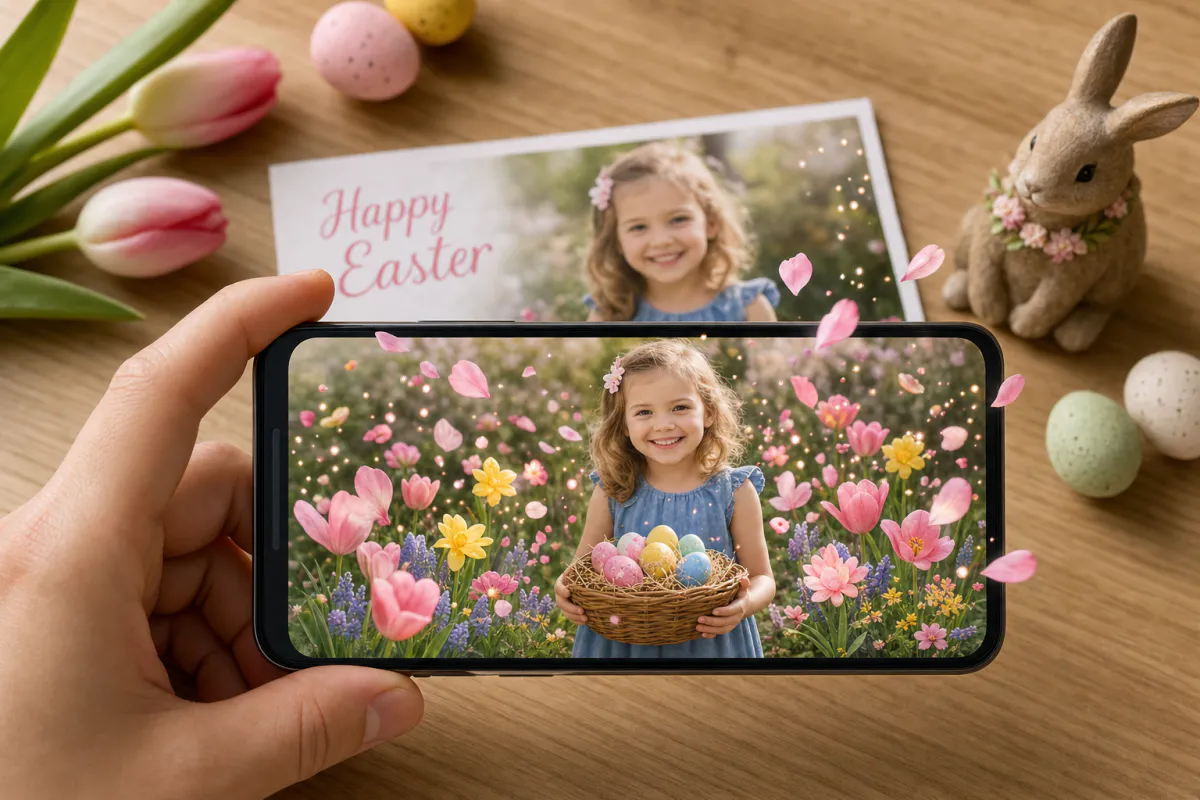
Give your Easter greeting a little spring magic. Upload a family photo, an egg-hunt snapshot or a child's drawing, and Studio animates it with blooming flowers, drifting petals and soft pastel light. Point a phone at the printed card and the scene starts to grow.
Made for
Family Easter cards, notes for grandparents, Sunday school and classroom crafts, egg-hunt clue cards and spring greetings from local shops.
The result
A marker-based AR card: the printed picture is the scan target, and a short AI-animated spring version of it appears on top.
Opening it
Recipients scan a QR code to watch in their phone browser with WebAR, or you can publish the same card to the ARLOOPA app.
Step by step
The builder opens with an Easter preset named "Happy Easter AR card" and a motion prompt for blooming flowers, drifting petals and pastel light that keeps people and the layout as they are.
Choose the photo or artwork you will print. Painted eggs and flower beds give phones detail to lock onto.
Keep the blooming flowers or add a detail of your own, like "the bunny ears twitch" or "butterflies land on the basket", within the 300-character limit.
Name the experience, then keep Web AR on so family members can open it without installing anything.
The builder shows how many coins the AI video needs before you start. Studio then creates a short clip of about five seconds and attaches it to your image.
Publish, add the QR code to the back of the card, and scan one printed copy before you fill the baskets or seal the envelopes.
Ideas
Easter cards are often made by or for children. A crayon rabbit that starts to move when Grandma scans it turns a fridge picture into something the whole family wants to try.
The card can be part of the day too: a clue card in each plastic egg, or a photo card by every plate.
Tracking tips
Pastel palettes are hard for a camera to read, because soft pinks and pale yellows blend together. Pick a picture with clear outlines, colorful eggs or a busy garden, and avoid large areas of plain sky or empty paper.
Print the very same file you uploaded, without adding a border or new text over the picture afterwards. Then scan the printed copy in daylight and in a dim room.
Timing
Easter falls on a different Sunday each year, anywhere from late March to late April, and Western and Orthodox churches often celebrate on different dates. Check the calendar early, especially for cards mailed abroad.
Shops and community groups can treat the card as a short spring campaign, such as a bakery insert for cake orders or a church event flyer.
FAQ
Yes, with a little help to scan the QR code. Published as WebAR, the experience opens in the phone browser, and they simply point the phone at the printed card to watch it bloom.
Usually, if it has bold lines and color across most of the page. Very light pencil sketches or drawings with lots of blank paper are harder to recognize, so scan the artwork in good light and test the printed copy.
The prompt asks for spring flowers blooming, petals drifting and soft pastel light, while keeping faces and the composition natural. You can edit it before generating, up to 300 characters.
Yes. The experience stays in Studio, so you can open it in the editor and replace the content, or make a new card with a fresh photo next year.
More templates
Every occasion uses the same quick workflow: upload a photo, add AI motion, share as WebAR.
Christmas AR card template
Family photo cards, cards for friends abroad, teacher and classroom cards, and small businesses sending seasonal thank-yous.
See the guideHoliday AR postcard template for businesses
Corporate Christmas and New Year cards, client thank-you mailers, holiday packaging inserts and in-store seasonal posters.
See the guideThanksgiving AR card template
Family Thanksgiving cards, dinner place cards, notes for hosts, gratitude cards for teachers and volunteers, and client thank-yous from small businesses.
See the guide


Solutions
ARLOOPA Inc. 2026