1
Pick an outdoor moment
Fishing trips, barbecues and hikes suit the sunlight-and-breeze motion. Upload the photo you will print.
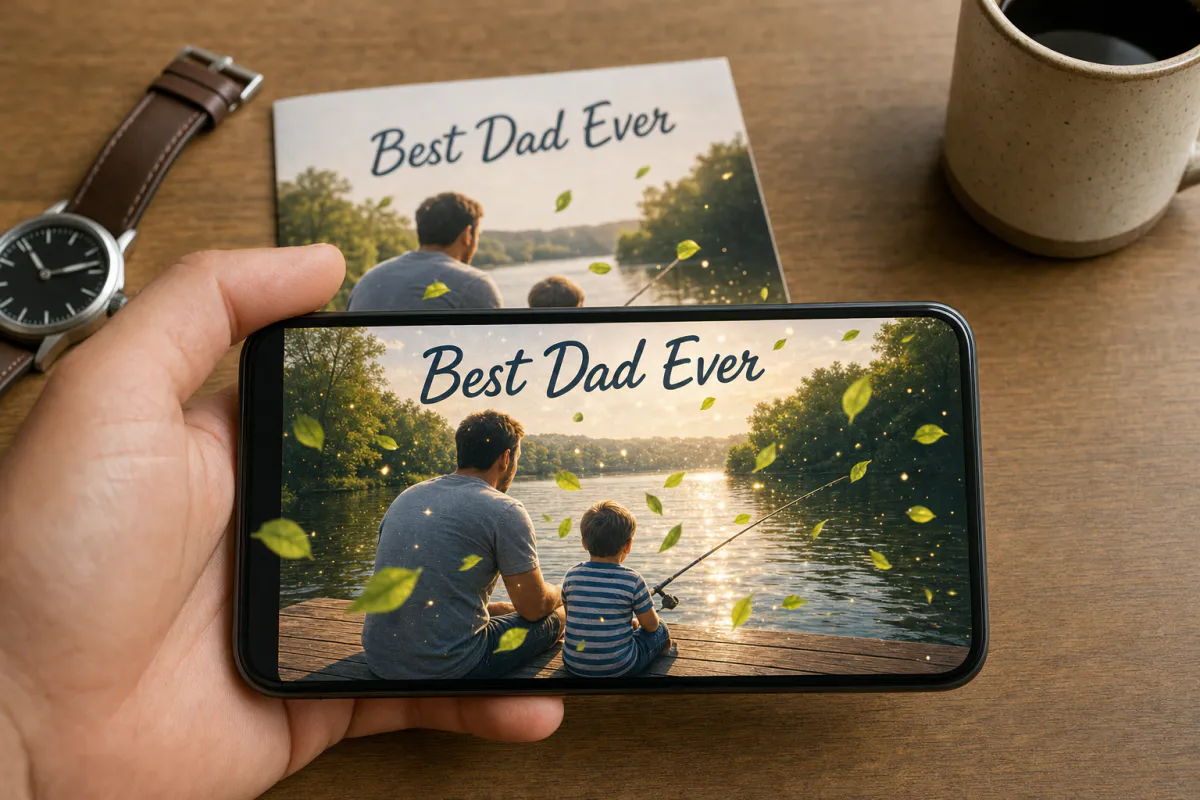
Give Dad a card that does something. Upload a photo of a day you spent together, and Studio animates it with warm sunlight moving across the scene, a gentle breeze and a few drifting leaves. When he points his phone at the printed card, the moment plays again.
Good fit for
Cards from kids, grown children and grandkids, notes for new dads, gifts for grandfathers, and greetings from hardware stores, barbers or breweries.
What you get
Marker-based AR: the printed photo triggers a short AI-animated version of itself, lined up on top of the card.
How Dad sees it
He scans a QR code and watches in the phone browser with WebAR. You can also publish the card to the ARLOOPA app.
Step by step
The builder opens with a Father's Day preset: the name "Father's Day AR card" and a prompt for moving sunlight, a soft breeze and drifting leaves that leaves people and the composition unchanged.
Fishing trips, barbecues and hikes suit the sunlight-and-breeze motion. Upload the photo you will print.
Keep the warm light, or add something specific such as "the lake ripples", "smoke rises from the grill" or "the flag on the boat flutters". Stay under 300 characters.
Give the experience a clear name. Web AR lets Dad open it from a QR code without installing anything; the ARLOOPA app is there if he already uses it.
The builder shows the coin estimate first. Studio then produces an AI video of about five seconds from the photo and links it to the image.
Publish, print the card with the QR code on the back, and scan your copy to confirm the motion lines up before Sunday.
Ideas
Plenty of dads say they don't need anything. A photo from his favorite place, with the light shifting and leaves blowing past, gives him something to show friends.
A kid's drawing of Dad at the grill can also be the scan target, handmade and animated at once.
Scan quality
Outdoor photos make great scan targets because trees, rocks and water add texture. Avoid shots that are mostly bright sky or dark shadow.
Phone cameras are sensitive to reflections, so a glossy print on a sunny patio may refuse to track. Print on matte stock, keep the picture exactly as you uploaded it, and test outside as well as indoors.
Timing
In the United States, Father's Day is the third Sunday in June, but other countries mark it on different dates throughout the year. Confirm the local date before you print.
If you are far away, mail the card early and send the WebAR link on the day. Barbershops or garden centers can print a scannable counter card the week before.
FAQ
Yes. With WebAR he only scans the QR code with his phone camera and points the phone at the card. There is no app to install or account to create.
A sharp photo with detail across the whole frame, such as an outdoor scene, a workshop or a family gathering. Photos that are mostly sky or a blank wall are harder for the phone to recognize.
Yes. The preset describes warm sunlight, a gentle breeze and drifting leaves. You can rewrite it, up to 300 characters, to match the scene in your photo.
Yes. After generating, you can open the experience in the Studio editor and add content such as audio, images or a button, without reprinting the card.
More templates
Every occasion uses the same quick workflow: upload a photo, add AI motion, share as WebAR.
Christmas AR card template
Family photo cards, cards for friends abroad, teacher and classroom cards, and small businesses sending seasonal thank-yous.
See the guideHoliday AR postcard template for businesses
Corporate Christmas and New Year cards, client thank-you mailers, holiday packaging inserts and in-store seasonal posters.
See the guideThanksgiving AR card template
Family Thanksgiving cards, dinner place cards, notes for hosts, gratitude cards for teachers and volunteers, and client thank-yous from small businesses.
See the guide


Solutions
ARLOOPA Inc. 2026