1
Upload a Halloween image
Costume group photos, a porch full of jack-o'-lanterns or a kid's drawing of a friendly ghost all work. Use the same file you will print.
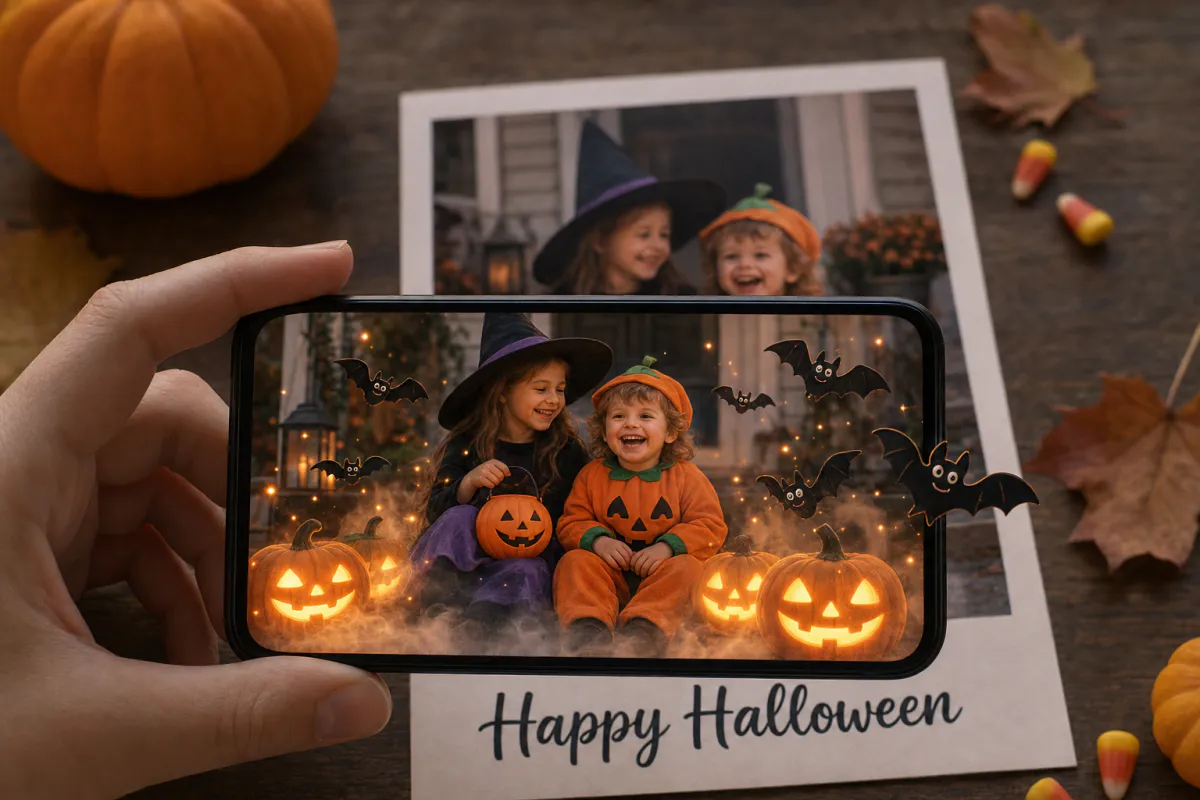
Make a Halloween card that plays a friendly trick. Upload a costume photo, a carved-pumpkin shot or a spooky-cute drawing, and Studio animates it with glowing pumpkins, light rolling fog and a few friendly bats. Scan the printed card and the scene stirs to life, fun rather than frightening.
Great for
Costume photo cards, Halloween party invitations, classroom treats, trick-or-treat bag tags, and seasonal promotions for costume shops, cafés and pumpkin patches.
What happens
The printed image is the scan target, and an AI-animated version with glowing, playful motion appears right on top of it.
Opening the card
Guests scan a QR code to watch in the phone browser via WebAR, or open it in the ARLOOPA app if you publish it there too.
Step by step
The builder opens with a Halloween preset named "Happy Halloween AR card" and a prompt for glowing pumpkins, light fog and a few friendly bats, written to stay playful rather than scary.
Costume group photos, a porch full of jack-o'-lanterns or a kid's drawing of a friendly ghost all work. Use the same file you will print.
The preset already avoids anything gory. Add your own touches, like "the cat in the witch hat blinks" or "candy corn sparkles in the bowl", within 300 characters.
Give the experience a name such as "Halloween party invite", and keep Web AR on so every guest can open it from a QR code.
Check the coin estimate, then generate. Studio produces an AI clip of about five seconds from your image and builds the marker-based card.
Publish, add the QR code on the back, and scan one printed card in a dim room, since Halloween cards are often opened in the evening.
Ideas
Halloween is one of the few holidays where people expect a surprise, which makes a card that suddenly moves a natural fit. Keep it friendly for younger kids: glowing pumpkins and cartoon bats get giggles; leave out jump scares.
Party hosts can make the invitation itself the reveal, with fog and pumpkin light on scan.
Low-light tracking
Halloween images tend to be dark: black backgrounds, night skies and orange glows. Phones need visible detail to recognize the card, so choose a photo where costumes, faces and pumpkins are well lit, and avoid shots that are mostly shadow.
Print on matte paper using the exact image you uploaded, then scan it where people will actually use it, such as a porch light, a party room or a classroom. If tracking struggles, brighten the photo before uploading and reprint.
For local businesses
Halloween is busy for costume shops, bakeries and farms. A printed card or poster that animates when scanned gives families something to try while they wait in line and a reason to talk about your stand afterward.
Because the season is short, prepare in early October. Generate the card, test a print, and keep the experience in Studio so next year you can open it in the editor and swap in a new image.
FAQ
The preset is written to be playful rather than scary: glowing pumpkins, light fog and a few friendly bats. You can make it even gentler by editing the prompt before generating.
No, if you publish as WebAR. Guests scan the QR code with their phone camera and point the phone at the printed invitation to watch it come alive.
Image tracking needs visible detail. Very dark photos give the camera little to recognize. Pick a brighter shot, print on matte paper and test it in the lighting where people will scan it.
Yes. The experience stays in Studio, and you can open it in the editor to replace the content, or create a new card with this year's costume photo.
More templates
Every occasion uses the same quick workflow: upload a photo, add AI motion, share as WebAR.
Christmas AR card template
Family photo cards, cards for friends abroad, teacher and classroom cards, and small businesses sending seasonal thank-yous.
See the guideHoliday AR postcard template for businesses
Corporate Christmas and New Year cards, client thank-you mailers, holiday packaging inserts and in-store seasonal posters.
See the guideThanksgiving AR card template
Family Thanksgiving cards, dinner place cards, notes for hosts, gratitude cards for teachers and volunteers, and client thank-yous from small businesses.
See the guide


Solutions
ARLOOPA Inc. 2026