1
Choose the engagement photo
Pick a shot with some movement waiting to happen, like a dress, a scarf, long grass or water behind you.
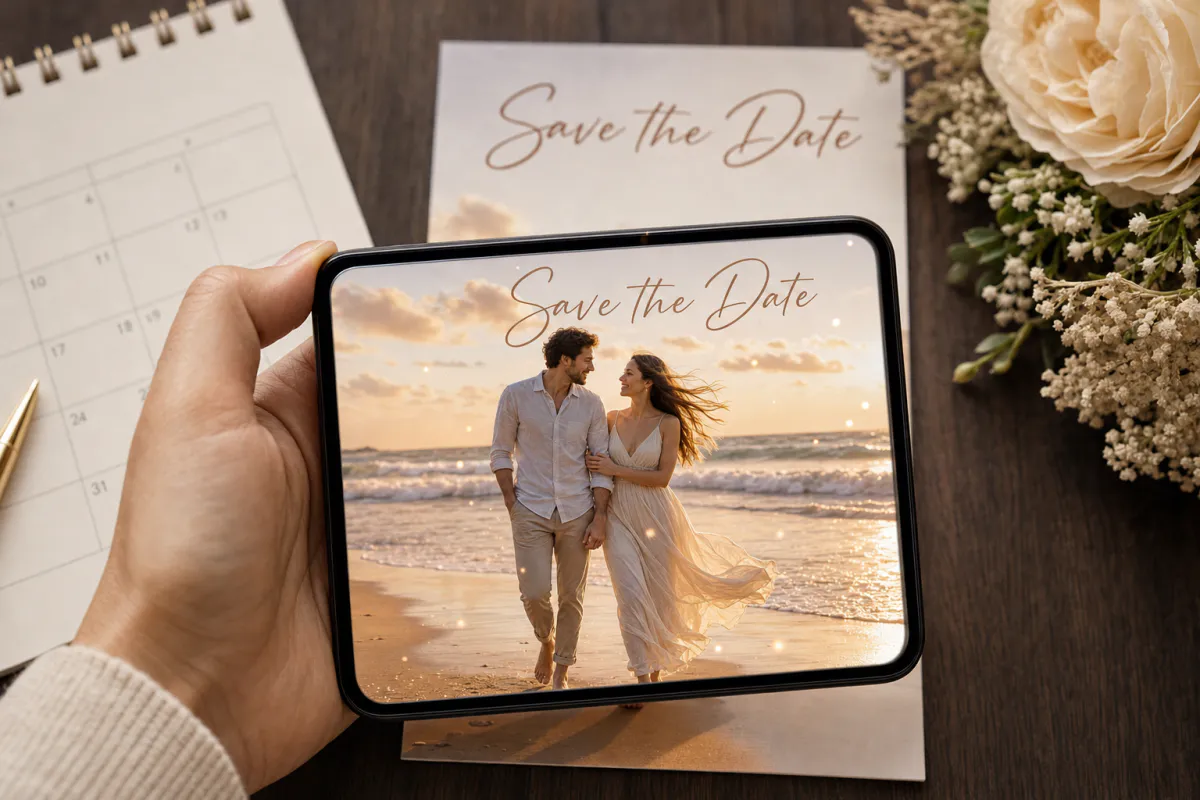
Make your save the date feel like a scene from a film. Upload your engagement photo, and Studio adds a gentle breeze through hair and fabric with soft, flickering light. Guests scan the printed card and watch the photo move for a few seconds, right where it sits on the fridge.
Best for
Engagement photo save the dates, destination weddings with guests abroad, and photographers who want to deliver more than a gallery after an engagement session.
What it creates
A marker-based AR card where your printed photo triggers a short, cinematic AI-animated version of itself.
Open anywhere
Publish as WebAR so guests open it from a QR code in the phone browser, or publish to the ARLOOPA app as well.
Step by step
The builder opens with a save the date preset: the experience is named “Save the date AR card” and the prompt asks for a light breeze and softly flickering light, while keeping your faces and pose exactly as photographed.
Pick a shot with some movement waiting to happen, like a dress, a scarf, long grass or water behind you.
Edit the prompt to fit the location, for example “waves roll in behind them” or “city lights shimmer in the background.” Keep it short and specific.
Browser access is the practical choice for a save the date, since it goes to everyone you might invite, not just tech-savvy friends.
Studio creates a short AI video, roughly five seconds, and links it to your photo as a marker-based experience. The coin cost is shown before you start.
Publish, add the QR code to the card, scan one printed proof and then send the batch.
Planning
Save the dates typically go out six to eight months before the wedding, and closer to a year ahead for destination weddings or holiday weekends. That makes the AR step one of the first creative tasks after the engagement shoot.
Since the photo comes from your engagement session, plan the shoot with the card in mind. Ask your photographer for a few frames with breathing room around you and texture in the background, so you have a strong option for both print layout and tracking.
Guest experience
A save the date has one job: get the date on the calendar. The animation is what makes people keep the card visible, so the printed side still needs the date, city and your wedding website if you have one.
Guests abroad or on your digital list can get the photo and WebAR link in a message instead. They can point a phone at the image shown on a laptop, or simply play the animation, so nobody is left out because a card got lost in the post.
Print tips
Save the dates come as flat cards, postcards and fridge magnets, and each prints differently. Magnets often have a glossy laminate, which reflects kitchen lights straight back into the camera, so ask your printer for a matte finish if the magnet carries the AR.
Postcards get handled in the mail, so keep the tracked photo on the side that is not stamped and addressed. Bold text over the photo is fine in small amounts, but a large date block covering half the image takes away the details the phone needs.
FAQ
No. Publish the card as WebAR and guests open it from the QR code in their phone browser, then point the phone at the printed photo.
Yes, as long as the finish is not too glossy. Matte magnets scan more reliably because they do not reflect lamps and windows into the camera.
Photos with natural movement in them, like flowing fabric, hair, grass, water or city lights, give the AI motion something believable to work with. The preset keeps faces and poses unchanged.
Yes. Share the photo together with the WebAR link. Guests can scan the image on another screen or open the link to watch.
More templates
Every occasion uses the same quick workflow: upload a photo, add AI motion, share as WebAR.
Birthday AR card template
Milestone birthdays, cards for grandparents and friends far away, kids’ party invitations and birthday greetings from small businesses to regular customers.
See the guideWedding AR invitation template
Couples planning printed invitations, stationers adding a premium option to a suite, and planners matching invitations to day-of signage.
See the guideBaby announcement AR card template
Birth announcements, pregnancy announcements for grandparents, adoption announcements and newborn photographers looking for a keepsake add-on.
See the guide


Solutions
ARLOOPA Inc. 2026