1
Upload the thank-you image
Use a photo from the event you are thanking someone for, or a designed note card. Whatever you upload is what the phone will recognize, so use the print version.
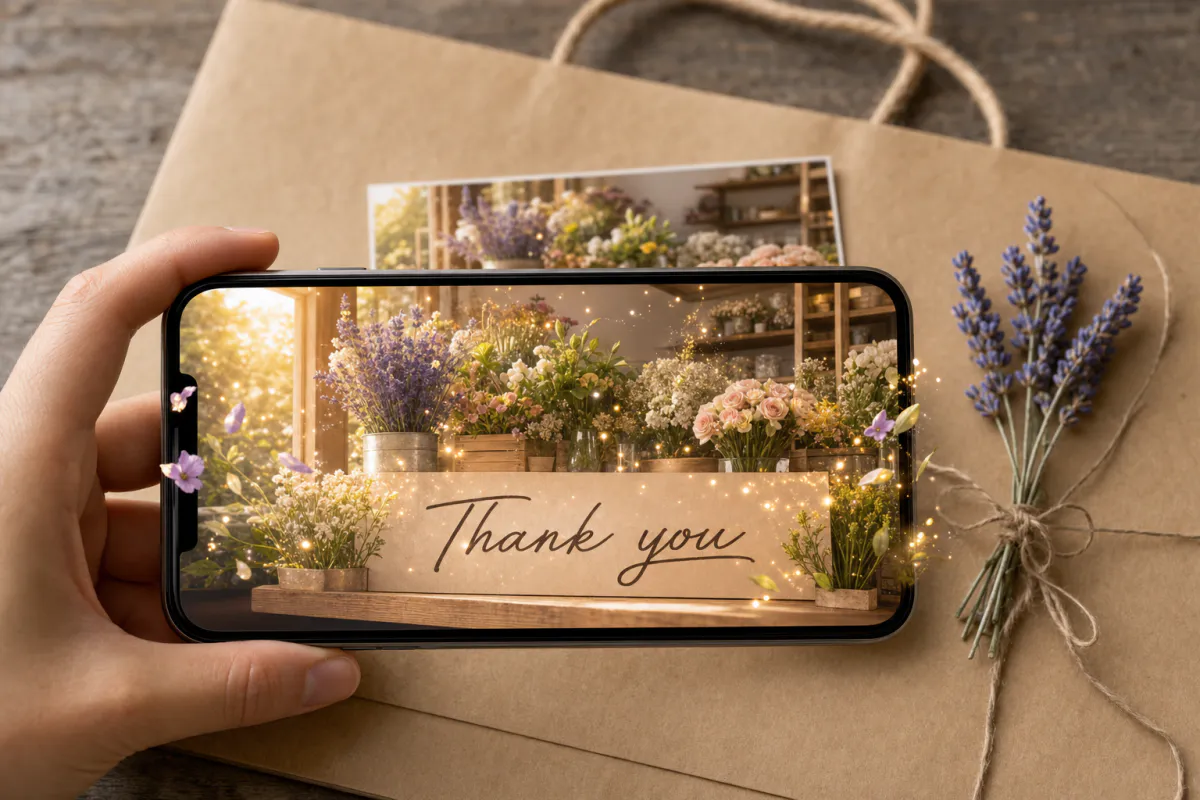
Say thank you in a way people remember. Upload a photo from the occasion or your own card design, and Studio adds subtle sparkles, a soft warm glow and gentle natural motion. When the recipient points a phone at the printed note, your thanks comes quietly to life.
Best for
Wedding and shower thank-you notes, cards for teachers, nurses and mentors, and small businesses adding a thank-you card to customer orders.
What it creates
A marker-based AR card where the printed image triggers a short AI-animated version of itself.
One scan away
Publish as WebAR so it opens from a QR code in the phone browser, or publish to the ARLOOPA app as well.
Step by step
The builder opens with a thank you preset: the experience is named “Thank you AR card” and the prompt asks for subtle sparkles, a warm glow and natural motion, keeping people and the layout unchanged.
Use a photo from the event you are thanking someone for, or a designed note card. Whatever you upload is what the phone will recognize, so use the print version.
The preset is understated on purpose. For a product photo on a business card, change the end of the prompt to keep your logo and product sharp.
Web AR works for any recipient with a phone camera, which matters for customer cards where you cannot assume anything about the app.
Studio creates a short AI video, about five seconds, and links it to your image. Check the coin estimate shown before generating.
Publish, add the QR code and a short scan line, test one printed card and then print the rest.
Ideas
Most thank-you notes are read once and put away. Adding motion to a photo of the moment you are grateful for, like the guests dancing at your wedding or the class on its last day, gives the card a reason to stay on a desk.
Keep the animation in proportion to the thanks. A gentle glow over a team photo suits a mentor or a colleague, while a wedding thank-you can carry a little more sparkle.
For small businesses
Online shops, makers and studios already slip thank-you cards into packages. Printing one with an AR photo of your workshop, your team or the product being made turns a standard insert into something customers show to others.
Since the same printed card goes into every order, you only need to build the experience once. The analytics page shows how often it is viewed, which tells you whether customers are actually scanning.
Print tips
Thank-you cards are small, often around postcard size or smaller, so the tracked image has fewer pixels for the camera to work with. Fill the front with the photo or design instead of shrinking it into a corner, and avoid fine patterns that blur at small sizes.
Handwritten notes are part of the charm, so give them their own space. Writing across the tracked image changes what the phone sees, which is why the message belongs on the back or inside.
FAQ
No. With WebAR the card opens from its QR code in the phone browser, and the recipient then holds the phone over the printed note.
Yes. Every printed copy of the same image triggers the same experience, so one card works across all your orders.
Yes. The preset is written for photos with people, so edit the prompt to keep your logo, text and product sharp and unchanged before generating.
Small note cards work if the image fills most of the front and has clear detail. Print a test card at the final size and scan it before ordering more.
More templates
Every occasion uses the same quick workflow: upload a photo, add AI motion, share as WebAR.
Birthday AR card template
Milestone birthdays, cards for grandparents and friends far away, kids’ party invitations and birthday greetings from small businesses to regular customers.
See the guideWedding AR invitation template
Couples planning printed invitations, stationers adding a premium option to a suite, and planners matching invitations to day-of signage.
See the guideSave the date AR card template
Engagement photo save the dates, destination weddings with guests abroad, and photographers who want to deliver more than a gallery after an engagement session.
See the guide


Solutions
ARLOOPA Inc. 2026