1
Choose your photo
Pick a photo of the two of you with clear faces and some background detail. Detailed photos are recognized faster than plain backgrounds.
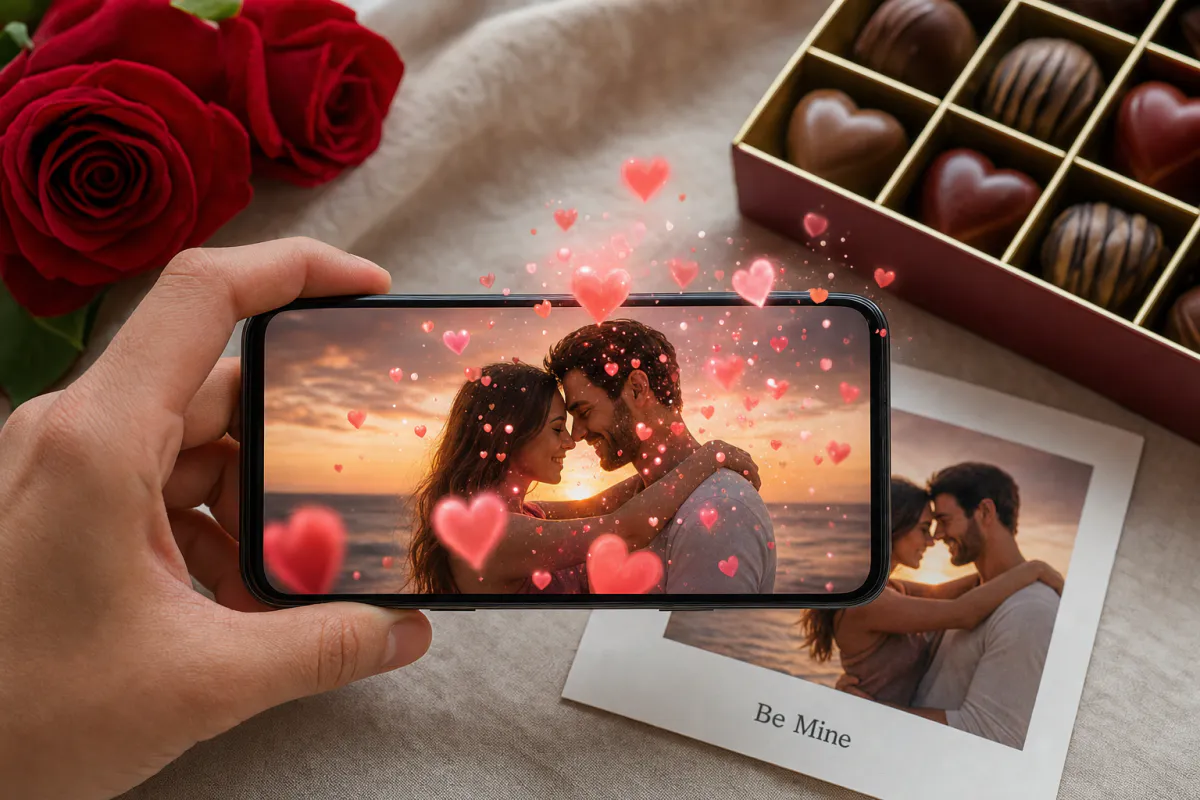
Give your Valentine a card with a secret. Upload a photo of the two of you, and Studio animates it with floating hearts and a soft romantic glow. When they point a phone at the printed card, the moment comes alive.
Best for
Couple photo cards, long-distance surprises, proposal teasers, anniversary notes and gifts tucked into flowers or chocolates.
What it creates
A marker-based AR card where your photo is the scan target and an AI-animated romantic version plays on top of it.
No app needed
Publish as WebAR so your partner scans a QR code and watches in the phone browser. The ARLOOPA app works too.
Step by step
The builder opens with a Valentine's preset: a romantic name and a prompt for floating hearts and a soft glow that keeps faces natural.
Pick a photo of the two of you with clear faces and some background detail. Detailed photos are recognized faster than plain backgrounds.
Keep the floating hearts or add a personal touch, such as petals falling, the sunset glowing or the sea moving behind you.
Browser access means your partner only needs a phone camera, with no app download that would spoil the surprise.
Studio creates the AI video and builds the AR card. The coin estimate appears before you generate.
Print the photo as a card, put a small QR code and “scan me” on the back, and test it once before the big day.
Ideas
A Valentine's AR card works because it rewards curiosity. It looks like a normal photo card until someone scans it, and then the photo they love starts to move.
You can also use the same template for anniversaries, engagements and long-distance relationships. Anywhere a printed photo would mean something, the AR version adds a moment people remember.
Small-card tips
Valentine cards are often small enough to slip into a bouquet or chocolate box, and smaller prints are harder to scan from far away. Print the photo as large as the card allows and let your partner know to hold the phone a little closer.
Soft-focus couple photos and red or pink filters look romantic but remove the detail tracking relies on. Upload a crisp version with the original colors, and print that same file rather than a filtered copy from a social media app.
For shops
Small businesses can offer AR cards as a Valentine's add-on. A customer brings a photo, the shop creates the AR card in a few minutes, and the printed card goes in with the flowers, cake or gift.
It is also a simple seasonal campaign: a window poster that comes alive when scanned brings passers-by into the shop and gives them a reason to share it on social media.
FAQ
No, if you publish it as WebAR. They scan the QR code with the phone camera, the experience opens in the browser, and they point the phone at the card.
A sharp photo with clear faces and a detailed background tracks best. Avoid photos that are mostly plain sky, white walls or heavy filters, and print exactly the image you uploaded.
Yes. Post the printed card in advance, or send the photo and WebAR link digitally so they can scan the image on another screen.
Yes. Florists, cafés and gift shops can create AR cards for customers or animated window posters. Check the pricing page for plans that fit regular use.
More templates
Every occasion uses the same quick workflow: upload a photo, add AI motion, share as WebAR.
Christmas AR card template
Family photo cards, cards for friends abroad, teacher and classroom cards, and small businesses sending seasonal thank-yous.
See the guideHoliday AR postcard template for businesses
Corporate Christmas and New Year cards, client thank-you mailers, holiday packaging inserts and in-store seasonal posters.
See the guideThanksgiving AR card template
Family Thanksgiving cards, dinner place cards, notes for hosts, gratitude cards for teachers and volunteers, and client thank-yous from small businesses.
See the guide


Solutions
ARLOOPA Inc. 2026